कोई भी GitHub repository खोलें। सबसे पहले जो दिखता है वह code नहीं — वह README.md है। यह file आमतौर पर Markdown में लिखी जाती है, और यह project में सबसे ज़्यादा पढ़ा जाने वाला document है। Job postings, academic papers और legal contracts शायद ही Markdown में होते हैं, लेकिन web पर technical writing का एक बड़ा हिस्सा इसी में है। यह समझने के लिए हमें उस format पर वापस जाना होगा जिसे render होने से पहले पढ़ने के लिए बनाया गया था।
Markdown कहाँ से आया
2004 में, John Gruber, एक technology writer, ने Aaron Swartz के input के साथ Markdown syntax specification publish की। Gruber का लक्ष्य practical था: वे web के लिए ऐसा तरीका चाहते थे जो plain text में अच्छा दिखे और बाद में HTML में बदला जा सके। उस समय web tags पर चलता था। एक blog post लिखना मतलब हर paragraph, list और link को angle brackets में लपेटना। Gruber को यह noise उस prose के लिए unnecessary लगा जो ज़्यादातर लोग publish कर रहे थे।
नतीजा एक छोटे conventions का सेट था:
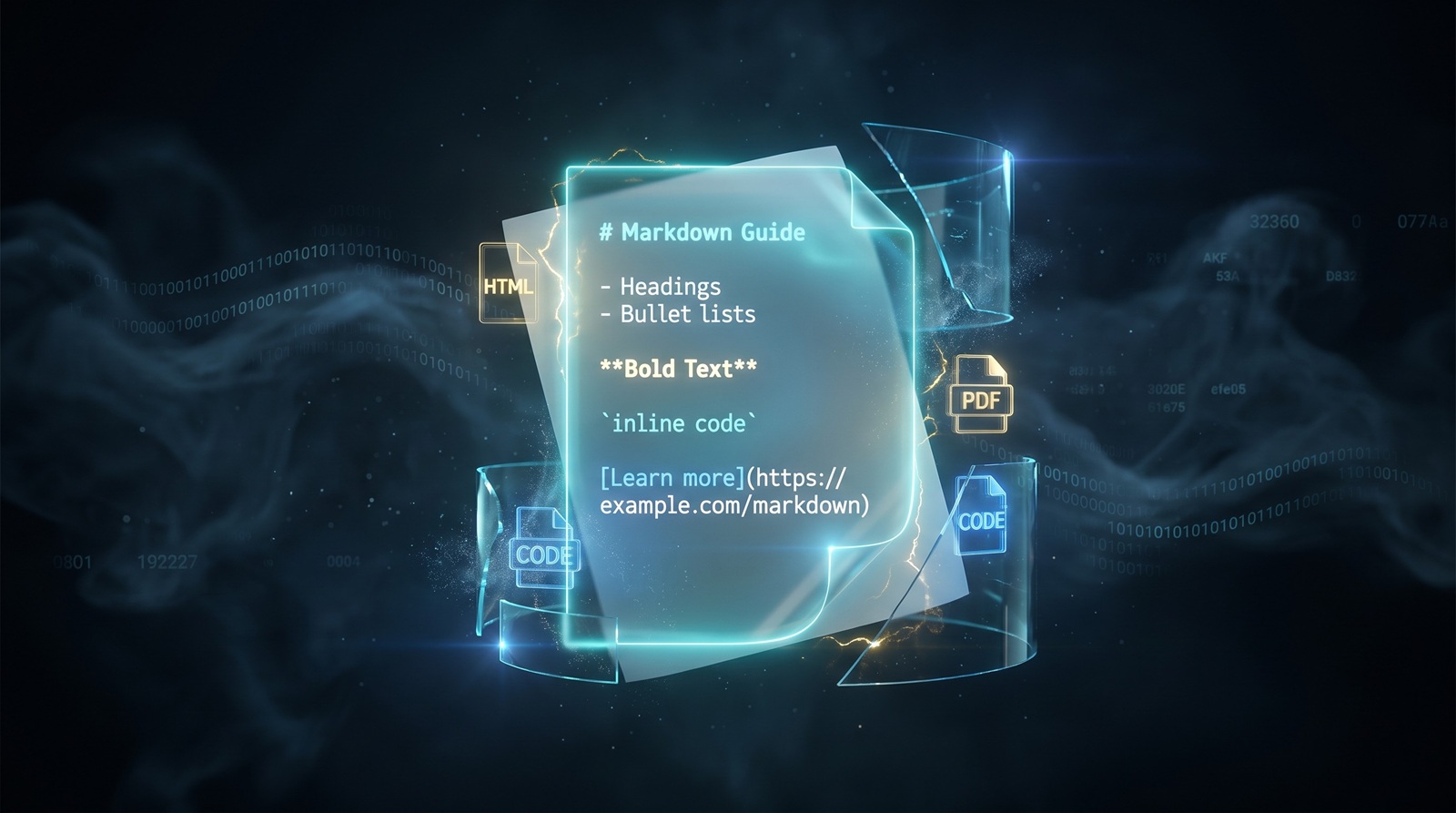
- Headings के लिए
#symbols इस्तेमाल होते हैं। - Lists के लिए
-या*इस्तेमाल होते हैं। - Links
[text](url)format में लिखे जाते हैं। - Emphasis के लिए
*text*या_text_इस्तेमाल होता है। - Code के लिए backticks इस्तेमाल होते हैं।
ये conventions email conventions, Usenet और उन plain-text habits से लिए गए थे जो लेखक पहले से जानते थे। Markdown ने ज़्यादा कुछ invent नहीं किया। इसने बस rules लिख दिए।
Gruber ने एक reference implementation भी release की, Markdown.pl, एक Perl script जो syntax को HTML में बदलती थी। Readable source format और deterministic output format का combination इसे adopt करना आसान बना गया। लेखकों को एक file मिली जिसे किसी भी text editor में edit किया जा सकता था। Publishers को clean HTML मिली जिसे CSS से style किया जा सकता था।
Markdown HTML नहीं है
यह सुनने में obvious लगता है, लेकिन यह अंतर technically मायने रखता है। HTML एक structured document format है। यह elements, attributes, nesting और behavior describe करता है। एक browser को इससे कोई फर्क नहीं पड़ता कि source इंसान को कैसा दिखता है; इसे DOM से मतलब होता है जो वह markup से बना सकता है।
Markdown एक writing convention है। इसमें कोई DOM नहीं, कोई event handlers नहीं, कोई forms नहीं, और frontmatter users के अलावा कोई metadata schema नहीं। यह एक markup language से ज़्यादा shorthand के करीब है। जब आप Markdown को किसी parser से चलाते हैं, तो output आमतौर पर HTML होता है, लेकिन Markdown खुद सिर्फ उन document parts से मतलब रखता है जो writer हाथ से type करता है: headings, paragraphs, emphasis, lists, links, images और code।
यह अंतर यह तय करता है कि हर format कहाँ रहता है:
| Task | Markdown | HTML |
|---|---|---|
| पहला draft लिखना | तेज़, किसी भी editor में पढ़ा जा सकता है | verbose, flow तोड़ता है |
| Version control diff | साफ, sentence-level बदलाव | tags की वजह से noisy |
| Precise layout | design से weak | Strong |
| Interactivity | कोई नहीं | Native |
| Styling | renderer को सौंपा गया | Inline या CSS |
HTML final page है। Markdown manuscript है।
यह इतनी तेज़ी से क्यों फैला
तीन forces ने Markdown को एक niche Perl script से technical writing की default language बना दिया।
Version control. जब Git standard बना, developers ने documentation को code के साथ रखना शुरू किया। Plain text इसलिए जीता क्योंकि diffs readable थे। HTML और Word documents छोटे edits को diff में unreadable blobs बना देते हैं। Markdown readable बना रहा।
GitHub. 2009 में, GitHub ने repository pages पर README.md files render करना शुरू किया। अचानक, हर project को एक Markdown file चाहिए होने लगी। Stack Overflow ने भी सवाल-जवाबों के लिए Markdown अपनाया। Developers ने syntax इसलिए सीखा क्योंकि वे platforms जो रोज़ इस्तेमाल करते थे, इसकी मांग करते थे।
Static site generators. Jekyll, Hugo, Gatsby और बाद में Next.js जैसे tools ने Markdown files को पूरी websites में बदल दिया। Writers CMS के बिना publish कर सकते थे। Source files Git repository में रहती थीं, और एक build step HTML generate करता था। इस workflow को आज docs-as-code कहा जाता है, और इसने Markdown को modern web के एक बड़े हिस्से के लिए input format बना दिया।
Note-taking apps ने अंतिम धक्का दिया। Obsidian, Notion, Bear, Logseq और iA Writer सभी Markdown या उसके close derivative को support करते हैं। यह format developer tools से बाहर निकला और personal knowledge organize करने का एक तरीका बन गया।
क्या Markdown docx और PDF को replace करेगा?
नहीं। यह सवाल इसलिए उठता है क्योंकि Markdown clean लगता है और बाकी formats भारी लगते हैं, लेकिन ये अलग-अलग problems solve करते हैं।
एक .docx file rich editing के लिए बना zipped XML package है: tracked changes, comments, styles, tables of contents, mail merge और embedded media। यह contracts, reports और उन manuscripts का format है जिन्हें non-technical users द्वारा round-trip editing की ज़रूरत होती है।
PDF एक fixed-layout electronic paper format है। यह devices के बीच fonts, spacing और pagination बनाए रखता है। यह वही चीज़ है जो आप final invoice, resume या academic paper के लिए चाहते हैं जो हर जगह identical दिखे।
Markdown एक interchange format है। यह drafting, versioning और web पर publish करने के लिए बेहतरीन है। यह page layout, precise typography और print-ready output में बेकार है। Realistic workflow यह है: लेखन के लिए Markdown, फिर जब document को text editor से बाहर ले जाना हो तो docx या PDF में convert करें।
यहीं browser-based converters काम आते हैं। जब एक Markdown draft को shareable PDF बनाना हो, हमारा Markdown to PDF converter यह transformation locally संभालता है। अगर आप PDF से शुरू कर रहे हैं और editable Markdown चाहते हैं, तो PDF to Markdown converter आपकी file upload किए बिना structure निकालता है।
Markdown कहाँ अच्छा है — और कहाँ टूटता है
फायदे
- Readable source. Markdown file rendered page जितनी ही clean होती है। आप इसे terminal, email client या phone notes app में पढ़ सकते हैं।
- Portable. यह plain text है। कोई proprietary vendor नहीं, कोई license नहीं, कोई corrupt होने वाला binary format नहीं।
- Diff-friendly. Git बता सकता है कि exactly कौन सा sentence बदला। Writers और reviewers को तुरंत फायदा मिलता है।
- Tool-rich. हर programming language में parsers हैं। हर major platform पर editors हैं।
- Web-native. यह HTML में compile होता है, जो web का actual output format है।
सीमाएं
- Ambiguous spec. Gruber की original spec edge cases को undefined छोड़ देती है। अलग-अलग parsers same input के लिए अलग HTML produce करते हैं। इसीलिए CommonMark मौजूद है, लेकिन हर tool इसे use नहीं करता।
- No layout control. आप images को position नहीं कर सकते, page margins set नहीं कर सकते, या print styles define नहीं कर सकते बिना HTML या CSS में जाए।
- Flavor chaos. GitHub Flavored Markdown, Pandoc Markdown, MultiMarkdown, Obsidian Markdown और MDX सभी incompatible extensions जोड़ते हैं। एक tool के लिखी file दूसरे में गलत render हो सकती है।
- Tables and footnotes are afterthoughts. ये extensions द्वारा support होते हैं, core syntax द्वारा नहीं, और उनका behavior बदलता रहता है।
सीधा सार यह है कि Markdown उस 90% writing में अच्छा है जो paragraphs, lists, links और code होती है। बची 10% को यह HTML या specialized formats पर धकेल देता है।
AI era में Markdown
अगर आपने कभी large language model इस्तेमाल किया है, तो आपने Markdown देखा है। ज़्यादातर chat interfaces LLM output को default रूप से Markdown के रूप में render करते हैं। इसके पीछे practical reasons हैं।
पहला, Markdown compact है। Tokens महंगे होते हैं, और एक format जो <h1></h1> की जगह # इस्तेमाल करता है, जगह बचाता है। दूसरा, Markdown structurally simple है। Headings, lists और code blocks model के लिए emit करना आसान हैं और parser के लिए validate करना आसान है। तीसरा, training data में Markdown भरा हुआ है। GitHub, Stack Overflow, Reddit और documentation sites सभी इसे इस्तेमाल करते हैं, इसलिए models syntax reliably सीखते हैं।
Chat output से आगे, Markdown AI knowledge systems के लिए storage format बन गया है। Retrieval-Augmented Generation (RAG) pipelines अक्सर documents को Markdown या plain text में chunk करते हैं क्योंकि structure predictable होता है। Vector databases, note-taking tools और coding assistants long-term context को Markdown files में store करते हैं क्योंकि इंसान उन्हें पढ़ सकते हैं और machines उन्हें parse कर सकती हैं।
जोखिम flavor inconsistency है। एक model GitHub-style tables output करता है; दूसरा उसी table के लिए HTML इस्तेमाल करता है। एक knowledge base जो flavors मिलाता है, tools के बीच move होते समय break हो सकता है। CommonMark या किसी documented flavor पर standardize करना ही AI-generated Markdown को portable रखने का एकमात्र तरीका है।
Markdown का future और evolution
Markdown richer format नहीं बनेगा। इसे richer बनाने की हर कोशिश — tables, footnotes, definition lists, attributes — उस simplicity से दूर ले जाती है जिसने इसे लोकप्रिय बनाया। असली evolution दो directions में हो रही है।
Standardization. CommonMark, जो 2014 में शुरू हुआ, एक strict parsing specification define करता है। ज़्यादा tools अब इसे implement करते हैं, जिससे एक file को एक parser से दूसरे में ले जाने का surprise कम होता है।
Embedding. MDX authors को Markdown के अंदर React components import करने देता है। Jupyter notebooks Markdown cells को executable code के साथ मिलाते हैं। Static site generators Markdown को structured content के लिए data source की तरह treat करते हैं। हर मामले में Markdown छोटा रहता है, और आस-पास का tool शक्ति जोड़ता है।
संभावित future और भी वही है: Markdown एक universal plain-text draft format के रूप में, और converters इसे HTML, PDF, docx, slides या जो भी destination चाहता है, में बदलते हैं।
Platform के हिसाब से reading और editing tools
Markdown इस्तेमाल करने के लिए आपको कोई special app की ज़रूरत नहीं है। कोई भी text editor काम करता है। फिर भी, कुछ tools experience को काफी बेहतर बनाते हैं।
Windows
- VS Code Markdown extensions के साथ: developers के लिए default choice। Previews, linting और Markdown-it rendering support करता है।
- Typora: एक minimal WYSIWYG-style editor जो syntax को तब तक छुपाता है जब तक आपको ज़रूरत न हो।
- MarkText: Typora का एक open-source alternative जिसमें clean split view है।
- Notepad++: quick edits के लिए ठीक है, plugins के ज़रिए Markdown syntax highlighting मिलती है।
macOS
- iA Writer: distraction-free writing और syntax control पर focused।
- Bear: एक notes app जो personal knowledge management के लिए Markdown-ish syntax इस्तेमाल करता है।
- Ulysses: long-form writers के बीच लोकप्रिय जो web पर publish करते हैं।
- Marked 2: editor नहीं, लेकिन बाहर edit की गई files के लिए एक powerful live preview renderer।
Linux
- Ghostwriter: एक distraction-free Markdown editor जिसमें live preview है।
- Apostrophe: prose के लिए बना एक clean GTK-based editor।
- ReText: एक simple editor जो multiple formats में export करता है।
- Vim / Neovim / Emacs: उन writers के लिए बेमिसाल जो पहले से terminal में रहते हैं।
Cross-platform
- Obsidian: local-first knowledge base जिसमें linking, graphs और plugins हैं।
- Logseq: outliner जो सब कुछ Markdown या Org files में store करता है।
- Joplin: open-source note app जिसमें end-to-end encryption और Markdown support है।
Language के हिसाब से Markdown libraries
अगर आप ऐसा software बना रहे हैं जो Markdown parse या render करता है, तो आपको खुद parser लिखने की ज़रूरत शायद ही कभी पड़े। Ecosystem mature है।
| Language | Library | Notes |
|---|---|---|
| Python | markdown, mistletoe, markdown-it-py | markdown classic है; markdown-it-py CommonMark-compliant port है |
| JavaScript / TypeScript | marked, markdown-it, remark / unified | remark AST-based processing के लिए unified ecosystem का हिस्सा है |
| Go | goldmark, blackfriday | goldmark CommonMark-compliant और extensible है |
| Rust | pulldown-cmark, comrak | तेज़, safe, CommonMark-focused |
| Ruby | redcarpet, kramdown | redcarpet GitHub-flavored है; kramdown Jekyll default है |
| Java | commonmark-java, flexmark-java | flexmark कई Pandoc-style extensions support करता है |
| C# | Markdig | Highly extensible, Statiq जैसे static site generators में इस्तेमाल होता है |
ज़्यादातर libraries core syntax अच्छी तरह संभालती हैं। अंतर extensions, performance और CommonMark को कितनी strictly follow करती हैं, यहाँ पर दिखते हैं। सिर्फ आपकी language के आधार पर नहीं, बल्कि उस flavor के आधार पर चुनें जिसे आपको support करना है।
निष्कर्ष
Markdown शक्तिशाली होने के कारण नहीं जीता। इसलिए जीता क्योंकि यह रास्ते से हट जाता है। एक writer कोई भी text editor खोल सकता है, document type कर सकता है, और file formats के बारे में सोचे बिना उसे version control में commit कर सकता है। यह trade-off जानबूझकर है: Markdown portability और readability के बदले layout precision छोड़ देता है।
यही trade-off है जिसकी वजह से यह READMEs, documentation, static sites, note apps और अब AI output को power देता है। यही कारण है कि यह docx और PDF के साथ बना रहेगा। हर format का एक काम है। Markdown का काम plain-text starting point बनना है। जब आपको उस starting point को richer format में ले जाना हो, तो converter आमतौर पर अगला कदम होता है।