BMP को JPG में बैच कन्वर्ट करें
अपने ब्राउज़र में BMP छवियों को छोटे JPG फ़ाइलों में बदलें
Drop BMP files or folder here
Click to browse — supports .bmp
Tips
BMP — Windows bitmap. Uncompressed, large files, no transparency.
JPG — Universal format. Much smaller files for photos and scans.
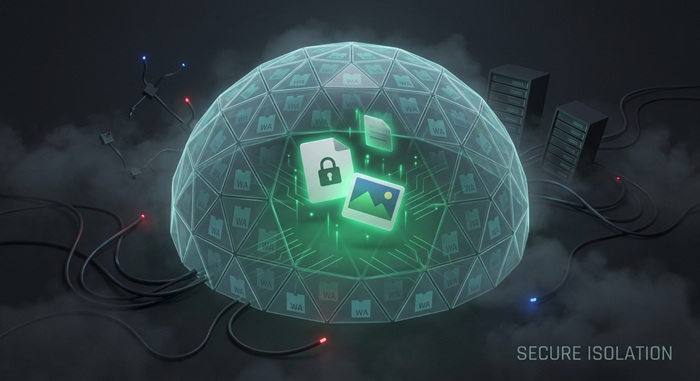
Privacy — केवल ब्राउज़र में। BMP फ़ाइलें सर्वर पर अपलोड नहीं होतीं।
Batch — फोल्डर ड्रॉप करें या कई BMP फ़ाइलें चुनें। एक फ़ाइल का फेल होना दूसरों को प्रभावित नहीं करता।
अगला ट्राई करें
How to Convert BMP to JPG
Drop your BMP files
Drag images from your computer, or click to browse. We accept .bmp files.
Convert instantly
BMP फ़ाइलें आपके ब्राउज़र में JPG में कन्वर्ट होती हैं। कोई अपलोड या सर्वर प्रोसेसिंग नहीं।
Download JPG
Download JPG — smaller and compatible with every device. Use the quality slider to balance size and fidelity.
About BMP to JPG
BMP is Windows' legacy bitmap format. It stores uncompressed pixels, which keeps decoding simple but produces large files. A 1920 x 1080 24-bit BMP is roughly 6 MB; the same image as a high-quality JPG is usually under 500 KB. If you need to share, email, or upload a BMP, converting to JPG is the practical fix.
यह टूल BMP फ़ाइलों को सीधे आपके ब्राउज़र में JPG में कन्वर्ट करता है। कन्वर्जन Canvas API का इस्तेमाल करके लोकली चलता है, इसलिए आपकी इमेजेज कभी आपके डिवाइस को नहीं छोड़तीं।
क्वालिटी स्लाइडर का उपयोग करके छोटी फ़ाइलों और उच्च फिडेलिटी के बीच चुनें। डिफ़ॉल्ट 90% क्वालिटी पर, ओरिजिनल से अंतर आमतौर पर अदृश्य होता है। आउटपुट ओरिजिनल रिज़ॉल्यूशन बरकरार रखता है और हर डिवाइस पर काम करता है।
अक्सर पूछे जाने वाले सवाल
Why convert BMP to JPG?
BMP files are uncompressed and large. Converting to JPG reduces file size by 80-95% with little visible quality loss, making the image easier to share, upload, or email.
What is BMP format?
BMP is a Windows bitmap format that stores raw pixels with minimal compression. It keeps full quality but produces large files and has no transparency support in most variants.
Will the image quality be preserved?
Resolution and color accuracy are fully preserved. JPG is a lossy format, so some data is discarded during compression. At the default 90% quality, the difference is invisible to the naked eye.
Is there a file size limit?
There is no hard limit. Since processing runs locally in your browser, the practical limit depends on your device's memory. Most BMP images convert instantly.
Do I need to sign up or pay?
नहीं। कोई अकाउंट, वॉटरमार्क, सब्सक्रिप्शन या "HD के लिए अपग्रेड" जाल नहीं। हर फीचर मुफ्त और असीमित है।
Is my image data safe?
हाँ। सभी कन्वर्जन Canvas API का उपयोग करके आपके ब्राउज़र में होते हैं। आपकी इमेजेज कभी आपके डिवाइस को नहीं छोड़तीं।