BMP को ICO में बैच कन्वर्ट करें
अपने ब्राउज़र में BMP छवियों को Windows ICO आइकन में बदलें
Drop BMP files or folder here
Click to browse — supports .bmp
Tips
BMP — Windows bitmap. Uncompressed, large files, no transparency.
ICO — Windows icon format. Multi-size favicons in one file.
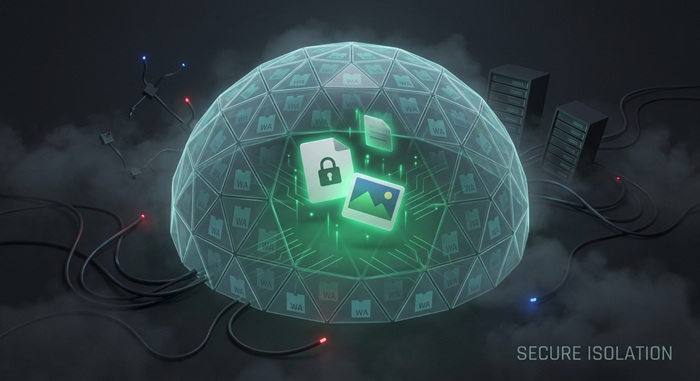
Privacy — केवल ब्राउज़र में। ICO आइकन लोकली जनरेट होते हैं।
Batch — एक साथ कई BMP फ़ाइलें ICO में बदलें। फेलियर्स बाकी कतार को ब्लॉक नहीं करते।
अगला ट्राई करें
How to Convert BMP to ICO
Drop your BMP files
Drag images from your computer, or click to browse. We accept .bmp files.
Convert instantly
BMP इमेज आपके ब्राउज़र में ICO आइकन में बनती हैं। सब कुछ लोकली होता है।
Download ICO
Download ICO — multi-size icon files ready for Windows and favicon use.
About BMP to ICO
ICO is the standard Windows icon format. It is used for application icons, folder icons, and website favicons. A single ICO file can hold multiple image sizes, letting the operating system or browser pick the best one automatically.
यह टूल BMP फ़ाइलों को सीधे आपके ब्राउज़र में ICO में कन्वर्ट करता है। यह सामान्य आइकन आकार बनाता है और उन्हें एक ICO फ़ाइल में पैक करता है। फ़ाइलें आपके डिवाइस पर ही रहती हैं।
स्रोत छवि से बड़े आकारों को धुंधले अपस्केलिंग से बचने के लिए छोड़ दिया जाता है। आप मैन्युअल रूप से भी चुन सकते हैं कि कौन से आकार शामिल करने हैं। परिणाम एक ICO फ़ाइल है जिसे वेबसाइट या Windows प्रोजेक्ट में सीधे डाला जा सकता है।
अक्सर पूछे जाने वाले सवाल
Why convert BMP to ICO?
ICO is the standard format for Windows icons and website favicons. It packs multiple sizes into one file so the OS can pick the best resolution for each context.
What is ICO format?
ICO is a container format that holds multiple bitmap sizes in one file. Windows uses it for application and folder icons; websites use it as the favicon shown in browser tabs.
What icon sizes are generated?
The tool generates common standard sizes (16×16, 24×24, 32×32, 48×48, 64×64, 128×128, and 256×256) based on your source image. Sizes larger than the source image are automatically skipped to avoid upscaling artifacts.
Is there a file size limit?
There is no hard limit. Since processing runs locally in your browser, the practical limit depends on your device's memory. Most BMP images convert instantly.
Do I need to sign up or pay?
नहीं। ICO आइकन बनाने के लिए कोई अकाउंट, वॉटरमार्क या सब्सक्रिप्शन नहीं। यह टूल पूरी तरह मुफ्त है।
Is my image data safe?
हाँ। ICO आइकन बनाना Canvas API का उपयोग करके आपके ब्राउज़र में होता है। आपकी इमेजेज कभी आपके डिवाइस को नहीं छोड़तीं।