किसी PNG फाइल को hex editor में खोलें। पहले आठ bytes:
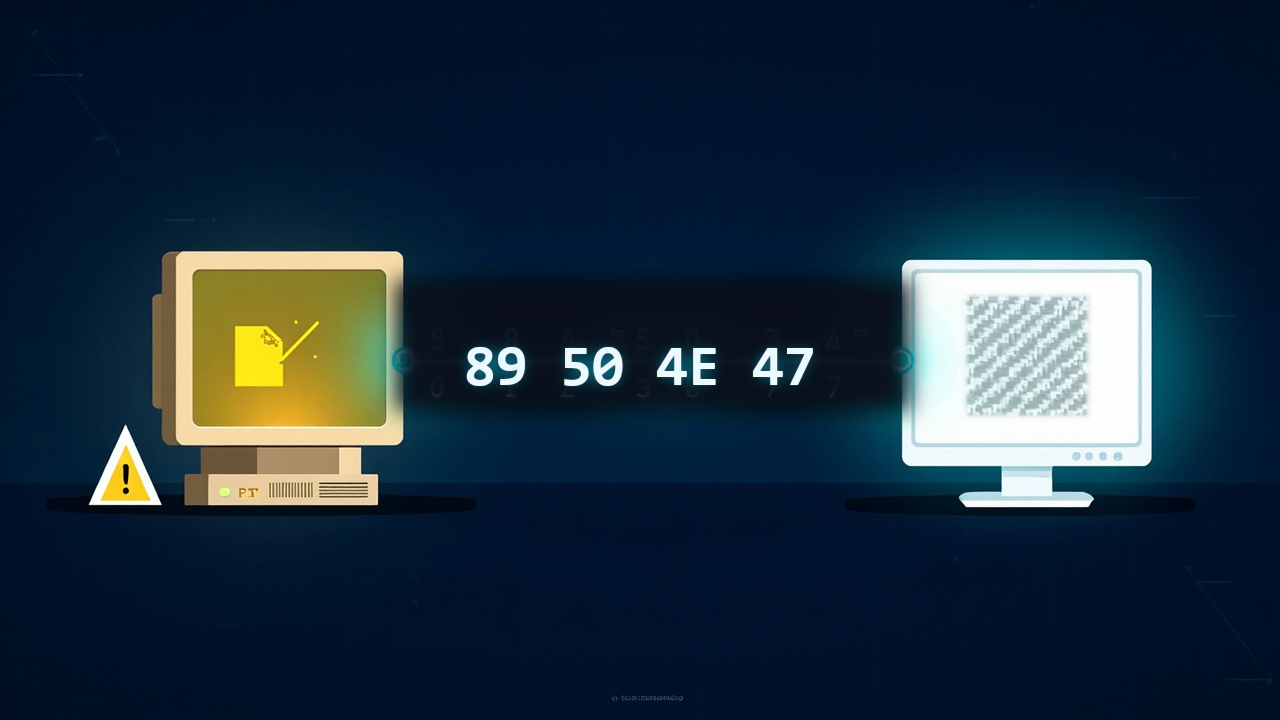
89 50 4E 47 0D 0A 1A 0A
यह है PNG सिग्नेचर। हर PNG decoder इसकी जांच करता है। पहला byte 0x89 जानबूझकर high रखा गया है, यह साधारण text editors को फाइल को ASCII की तरह treat करने से रोकता है। 50 4E 47 ASCII में "PNG" लिखता है। 0D 0A एक DOS line ending है, 1A DOS end-of-file marker है, और 0A एक Unix line feed है। Designers ने इन line-ending characters को इसलिए embed किया था ताकि text mode में FTP transfer तुरंत फाइल को corrupt कर दे, और users को binary mode में transfer करने पर मजबूर किया जाए। यह उन developers की एक छोटी सी शंका थी, जिन्होंने अभी-अभी देखा था कि कैसे एक patented format legal weapon बन गया।
PNG screenshots, UI assets, diagrams, logos और उन सभी इमेज के लिए इस्तेमाल होता है जहाँ बार-बार save करने के बाद भी pixels बिल्कुल वैसे ही रहने चाहिए। यह Google से भी पुराना है, iPod से भी पुराना है, और अब भी पहली पसंद बना रहता है जब हानिरहित संपीड़न मायने रखता है। लेकिन यह कभी एक format बनने के लिए नहीं बना था। यह शुरू में एक अस्थायी उपाय के रूप में बना था, कोई standard नहीं।
पेटेंट विवाद जिसने नया फॉर्मैट जन्म दिया
जनवरी 1995 में, Unisys ने घोषणा की कि वह GIF format का इस्तेमाल करने वाले डेवलपर्स के खिलाफ अपना LZW compression patent — U.S. Patent 4,558,302 — enforce करेगा। यह patent Lempel-Ziv-Welch algorithm को cover करता था, वह compression method जो हर GIF encoder और decoder की धड़कन थी।
1995 में web GIF पर चलता था। Animated banners, transparent logos, tiled backgrounds, GIF यह सब करता था। फिर Unisys ने royalties मांगीं। Commercial software vendors के सामने licensing fees आ गईं। Open-source projects पर अस्तित्व का संकट मंडराने लगा। GNU Image Manipulation Program (GIMP) सीधे प्रभावित हुआ। Web development community गुस्से से भर गई।
Static images के लिए GIF की जगह कुछ तो लेना ही था। Requirements साफ थीं: कोई patent नहीं, GIF से बेहतर compression, true color support, और GIF की सिर्फ एक रंग की साधारण transparency की जगह एक सही alpha channel। यह इतना simple भी होना चाहिए कि एक अकेला developer weekend में decoder लिख सके।
4 अप्रैल 1995 को, Thomas Boutell ने comp.graphics Usenet newsgroup में एक proposal post किया। उन्होंने इसे PBF — Portable Bitmap Format — नाम दिया। यह नाम नहीं टिका। अगले कुछ महीनों में एक mailing list बनी। Contributors में Tom Lane (Independent JPEG Group के lead), Lee Daniel Crocker, Alexander Lehmann, और दर्जनों अन्य शामिल थे। 1 अक्टूबर 1996 तक, PNG specification RFC 2083 के रूप में freeze हो गया। Ideation से standard तक पूरा process लगभग अठारह महीने लगे। तुलना के लिए, JPEG को छह साल लगे थे।
PNG से पहले क्या मौजूद था
1995 में, image format के विकल्प सीमित थे और हर एक के साथ कोई न कोई बोझ था:
| Format | Compression | Color depth | Transparency | Patent risk | Typical use |
|---|---|---|---|---|---|
| GIF | LZW | 256 colors max | 1-bit, 1 color | Yes (LZW) | Web graphics, animations |
| JPEG | DCT + Huffman | 24-bit true color | None | Baseline expired | Photographs |
| BMP | None or RLE | Up to 24-bit | None | No | Windows wallpaper |
| TIFF | LZW, PackBits, etc. | Up to 48-bit | Yes | LZW optional | Print, scanning |
| PCX | RLE | Up to 24-bit | None | No | DOS games, early clip art |
GIF web पर राज करता था लेकिन कानूनी जोखिम वाला था। इसकी 256-color palette icons और cartoons के लिए ठीक थी, लेकिन photographs के लिए बेकार। इसकी transparency binary थी: एक pixel या तो पूरी तरह opaque था या पूरी तरह transparent। कोई soft edges नहीं, कोई drop shadows नहीं।
JPEG photographs को बेहतरीन ढंग से हैंडल करता था लेकिन data irreversibly destroy कर देता था। किसी JPEG को खोलें, edit करें, फिर से save करें, और image degrade हो जाती थी। JPEG में transparency भी बिल्कुल नहीं थी। Web designers जिन्हें textured background पर तैरता हुआ logo चाहिए था, JPEG उनके लिए बेकार था।
BMP और PCX uncompressed या मुश्किल से compressed थे। 1995 में एक 640 × 480 BMP 900 KB खा जाती थी। 28.8 kbps modem पर, इसे download करने में चार मिनट से ज्यादा लगते थे।
TIFF powerful और flexible था, लेकिन यही flexibility इसकी श्राप थी। TIFF files एक दर्जन अलग compression schemes, color spaces, और bit depths इस्तेमाल कर सकती थीं। एक universal TIFF decoder लिखना thesis-level project था, कोई weekend hack नहीं।
PNG को एक मुश्किल लक्ष्य हासिल करने के लिए डिजाइन किया गया था: static images के लिए GIF की जगह लेना, इसकी compression को मात देना, true color और real transparency जोड़ना, और हमेशा के लिए free रहना।
PNG संपीड़न कैसे काम करता है
PNG का संपीड़न दो चरणों में काम करता है। अलग-अलग कोई भी चरण खास नहीं लगता, लेकिन साथ में वे काफी असरदार हो जाते हैं।
चरण 1: filtering
Compression शुरू होने से पहले, PNG कच्चे pixel data को एक filter से गुजारता है। Filter कुछ compress नहीं करता। यह data को इस तरह rearrange करता है कि अगला stage इसे बेहतर compress कर सके।
एक image bytes की grid होती है। किसी clear sky की photograph में, adjacent pixels लगभग identical होते हैं। लेकिन raw byte stream फिर भी हर channel के लिए 120, 121, 120, 122, 119 store करता है। Differences बहुत छोटे होते हैं: +1, -1, +2, -3। अगर आप absolute values की जगह differences store करें, तो नतीजे वाले numbers zero के आसपास cluster करते हैं। यही clustering compression algorithms को पसंद आती है।
PNG हर scanline के लिए five filter types define करता है:
| Filter | Name | What it does |
|---|---|---|
| 0 | None | Stores raw bytes |
| 1 | Sub | Stores difference from previous pixel |
| 2 | Up | Stores difference from pixel above |
| 3 | Average | Stores difference from average of Sub and Up |
| 4 | Paeth | Stores difference from best predictor (Sub/Up/diagonal) |
Encoder हर scanline के लिए सभी five filters try करता है और वह चुनता है जो Stage 2 के बाद सबसे छोटा output दे। यही वजह है कि PNG encoder slow हो सकता है: यह filter combinations पर brute-force search कर रहा होता है। लेकिन decoding fast है, filter type फाइल में store होता है, इसलिए decoder सिर्फ inverse operation apply करता है।
चरण 2: DEFLATE
Filtering के बाद, data को DEFLATE से compress किया जाता है, वही algorithm जो gzip और ZIP files इस्तेमाल करते हैं। DEFLATE LZ77 (sliding-window duplicate string elimination) और Huffman coding (variable-length prefix codes for frequent symbols) का combination है।
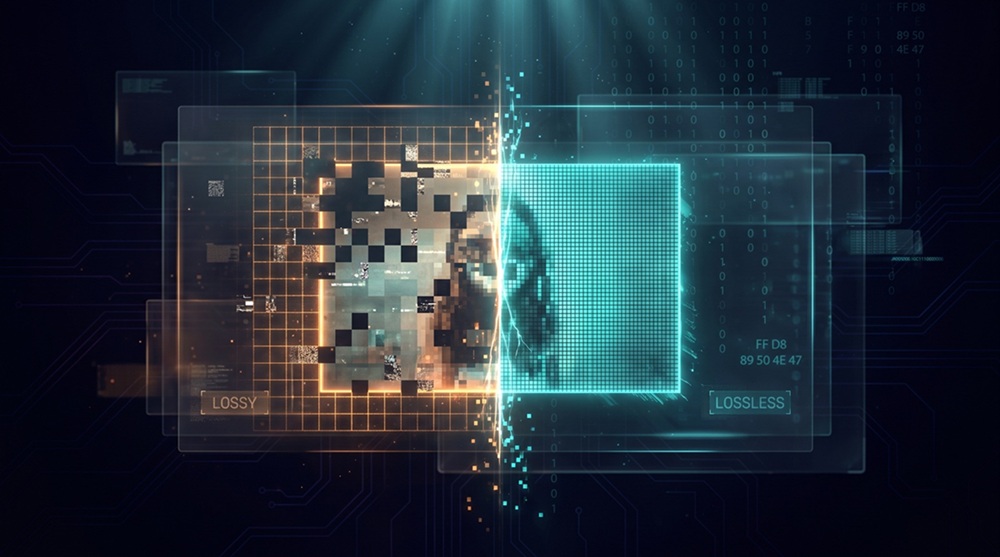
नतीजा: एक typical screenshot या UI graphic uncompressed BMP से 3–5× छोटा compress होता है। एक photograph PNG के रूप में compress होने पर आमतौर पर JPEG से 5–10× बड़ा होता है, लेकिन हर pixel recoverable है। यह संपीड़न अपने ढांचे से ही हानिरहित है: कोई data discard नहीं किया जाता, सिर्फ redundancies हटाई जाती हैं।
Context के लिए, raw RGB में 1920 × 1080 screenshot 6.2 MB होती है। वही screenshot PNG में आमतौर पर 800 KB – 1.5 MB तक घट जाती है। वही image JPEG quality 90 में 300–500 KB होती है, लेकिन इसे दस बार re-save करने से visible artifacts आ जाते हैं।
वे सुविधाएँ जो अहम रहीं
PNG सिर्फ एक patent-free GIF clone नहीं था। इसने वो capabilities जोड़ीं जिनके लिए web designers 1993 से मांग कर रहे थे।
True color: PNG 24-bit RGB (16.7 million colors) और 48-bit deep color support करता है। कोई palette limit नहीं। एक PNG photograph हर वो color दिखा सकता है जो मानव आंख distinguish कर सकती है।
Alpha channel: PNG 8-bit alpha support करता है, हर pixel के लिए transparency के 256 levels। एक shadow smoothly opaque से transparent fade कर सकती है। एक rounded button किसी भी background पर anti-alias कर सकता है। GIF 1-bit transparency देता था: एक color या तो पूरी तरह on था या पूरी तरह off। Visual difference रात-दिन का है।
Adam7 interlacing: PNG pixels को 7-pass interlaced order में store कर सकता है। एक browser फाइल का 1/64 हिस्सा receive करने के बाद ही एक coarse preview render कर देता है, फिर धीरे-धीरे refine करता है। GIF की line-by-line interlacing के विपरीत, Adam7 पहले pass से ही पूरी image में detail फैलाता है। तीसरे pass तक image पहचानी जा सकती है। सातवें pass तक यह perfect होती है।
Gamma correction: PNG अपने metadata में एक gamma value store करता है। Mac (gamma 1.8) पर बनी image Windows PC (gamma 2.2) पर बिना manual color correction के सही दिखती है। 1990s में यह एक genuine problem था जब cross-platform consistency दुर्लभ थी।
CRC checksums: हर PNG chunk के साथ CRC-32 checksum होता है। Corrupted downloads तुरंत detect हो जाते हैं, बजाय इसके कि half-rendered image produce हो।
PNG को उसके सिग्नेचर से पहचानना
.png extension पर भरोसा न करें। पहले आठ bytes पढ़ें और signature check करें।
Exact byte layout:
Bytes 0–7:  Signature 89 50 4E 47 0D 0A 1A 0A
Bytes 8–11: Chunk length (big-endian uint32)
Bytes 12–15: Chunk type: "IHDR" (image header)
Bytes 16–19: Image width (big-endian uint32)
Bytes 20–23: Image height (big-endian uint32)
Byte 24:    Bit depth
Byte 25:    Color type
Byte 26:    Compression method (always 0)
Byte 27:    Filter method (always 0)
Byte 28:    Interlace method (0 or 1)
TypeScript in the browser:
async function isPng(file: File): Promise<boolean> {
  const buffer = await file.slice(0, 8).arrayBuffer()
  const bytes = new Uint8Array(buffer)

  const signature = [0x89, 0x50, 0x4e, 0x47, 0x0d, 0x0a, 0x1a, 0x0a]
  return bytes.length === 8 && bytes.every((b, i) => b === signature[i])
}
Python
def is_png(path: str) -> bool:
    with open(path, "rb") as f:
        header = f.read(8)

    return header == b"\x89PNG\r\n\x1a\n"
Higher-level option with the standard library:
import imghdr

if imghdr.what("image.png") == "png":
    pass
Or with Pillow:
from PIL import Image

try:
    with Image.open("image.png") as img:
        is_png = img.format == "PNG"
except Exception:
    is_png = False
Go
func isPng(path string) bool {
	f, err := os.Open(path)
	if err != nil {
		return false
	}
	defer f.Close()

	buf := make([]byte, 8)
	if _, err := f.Read(buf); err != nil {
		return false
	}

	return bytes.Equal(buf, []byte{0x89, 0x50, 0x4e, 0x47, 0x0d, 0x0a, 0x1a, 0x0a})
}
PHP
function isPng(string $path): bool {
    $header = file_get_contents($path, false, null, 0, 8);
    return $header === "\x89PNG\r\n\x1a\n";
}
With fileinfo:
$finfo = new finfo(FILEINFO_MIME_TYPE);
$mime = $finfo->file('image.png');
// image/png
ImageMagick CLI
magick identify -verbose image.png | grep "Format:"
# Format: PNG (Portable Network Graphics)
Or simply:
file image.png
# image.png: PNG image data, 1200 x 675, 8-bit/color RGBA, non-interlaced
PNG की सीमाएँ
PNG perfect नहीं है। इसकी design choices trade-offs थीं, और कुछ trade-offs आज भी हमें नुकसान पहुँचाती हैं।
No built-in animation: PNG Working Group ने animation को साफ मना कर दिया था। वे static-image problem को पूरी तरह solve करना चाहते थे, complexity जोड़ने से पहले। नतीजा: animated GIF दो दशक और जीवित रहा। APNG (Animated PNG) आखिरकार 2004 में standardize हुआ, लेकिन browser support late 2010s तक patchy रही। आज भी, animated GIFs APNGs से orders of magnitude ज्यादा हैं।
Photographs के लिए बड़ी file sizes: एक 12 MP photograph PNG में आमतौर पर 15–25 MB होती है। JPEG quality 90 में, यह 3–5 MB होती है। PNG का हानिरहित संपीड़न JPEG के DCT-based psycho-visual discard से compete नहीं कर सकता। Photographs के लिए PNG galat tool है।
No CMYK support: PNG सिर्फ RGB है। Print workflows जिन्हें CMYK separation चाहिए, उन्हें PNG को TIFF या JPEG में convert करना पड़ता है। यह एक deliberate choice थी, designers ने screen display पर focus किया, print पर नहीं, लेकिन यह PNG की usefulness को professional publishing में सीमित करता है।
JPEG से slower decode: PNG decoding में हर scanline के लिए inverse filtering और DEFLATE decompression लगती है। JPEG decoding highly parallelizable है और hardware में heavily optimized है। Mobile devices पर, एक बड़ा PNG equivalent-resolution JPEG से 2–3× longer render ले सकता है, Largest Contentful Paint delay करता है।
No progressive quality: JPEG 2000 या JPEG XL के विपरीत, PNG truncated file से lower-quality preview produce नहीं कर सकता। या तो आपके पास पूरी file है, या कुछ भी नहीं। Adam7 interlacing coarse previews में मदद करता है, लेकिन total file size नहीं घटाता।
PNG ने JPEG को क्यों नहीं बदला
यह image formats के बारे में सबसे common misconception है। PNG और JPEG कभी एक ही job के लिए compete नहीं कर रहे थे।
JPEG एक lossy psycho-visual compressor है। यह वो data discard कर देता है जिसे आपकी आंखें शायद ही notice करतीं। इसे continuous-tone photographs के लिए डिजाइन किया गया था, वो images जिनमें smooth gradients, fine texture, और natural lighting हो। उस job के लिए, JPEG तैंतीस साल बाद भी size-quality curve पर unbeatable है।
PNG एक हानिरहित डेटा संपीड़र है। यह हर bit preserve करता है। इसे discrete-tone images के लिए डिजाइन किया गया था, screenshots, UI elements, diagrams, logos, text overlays, जहाँ sharp edges और exact colors मायने रखते हैं। उस job के लिए, PNG standard है।
दोनों formats ने web में अलग-अलग इलाके बना लिए:
| Use case | Right format | Why |
|---|---|---|
| Photographs | JPEG/AVIF | Lossy compression 5–10× छोटा होता है |
| Screenshots | PNG/WebP | हानिरहित संपीड़न टेक्स्ट की सफाई बचाता है |
| Logos with transparency | PNG/WebP | अल्फा चैनल + हानिरहित किनारे |
| UI icons | PNG/SVG | छोटा size, सटीक color match |
| Scientific data visualizations | PNG | Gradient legends में कोई artifact नहीं |
| Print-ready images | TIFF/JPEG XL | CMYK support, high bit depth |
PNG ने JPEG को replace करना कभी aim नहीं किया था। इसने बस एक अलग काम कर लिया।
आज PNG कहाँ है
2025 Web Almanac PNG को web पर serve की जाने वाली सभी images का लगभग 22% बताता है। यह इसके peak से कम है, WebP और AVIF share खा रहे हैं, लेकिन PNG वो fallback format है जिसे हर browser, हर image editor, और हर operating system बिना किसी hesitation के खोल सकता है।
WebP (Google, 2010) lossy और हानिरहित दोनों modes support करता है, साथ में animation और transparency भी। एक हानिरहित WebP आमतौर पर equivalent PNG से 20–30% छोटा होता है। Browser support 2020 से universal है। New projects के लिए, हानिरहित WebP अधिकांश मामलों में PNG का व्यावहारिक विकल्प है।
AVIF (AOM, 2019) और भी बेहतर compression हासिल करता है, लेकिन इसका हानिरहित मोड PNG से encode और decode करने में slower है। AVIF में 16-bit channels और embedded gamma correction जैसे कुछ advanced PNG features के लिए भी full browser support नहीं है।
SVG simple vector graphics के लिए icon और logo space पर राज करता है, लेकिन rasterized complex graphics को अब भी PNG की जरूरत होती है।
वास्तविक बात यह है कि PNG जा नहीं रहा। यह एक सुरक्षित डिफ़ॉल्ट विकल्प है, वो format जिसमें आप export करते हैं जब आपको यकीन चाहिए कि सामने वाला फाइल खोल पाएगा। PNG इमेज फॉर्मैट्स का QWERTY जैसा है, सबसे बेहतर नहीं, लेकिन हर जगह समझा जाता है।
PNG का भविष्य
PNG एक finished standard है। Specification 2003 के बाद से meaningfully नहीं बदला। यह stability एक feature है, bug नहीं। 1997 में बना PNG आज किसी भी modern browser में खुलता है और identically render होता है।
लेकिन PNG के around ecosystem continuously evolve कर रहा है:
APNG अपनी जगह बना रहा है। Safari इसे 2014 से support करता है। Chrome और Firefox ने follow किया। Discord, Slack, और Twitter सभी APNGs natively render करते हैं। Short UI animations, loading spinners, reaction emojis, status indicators, के लिए APNG animated GIF को smaller files और better color fidelity के साथ replace कर रहा है।
PNG optimization tools लगातार improve हो रहे हैं। oxipng, pngcrush, और zopfli better filter combinations और DEFLATE parameters brute-force करके PNG file sizes से और 10–30% घटा सकते हैं। High-traffic sites के लिए, हर PNG को oxipng से गुजारना standard practice है।
PNG को एक कंटेनर के रूप में: कुछ modern workflows ICC color profiles, EXIF metadata, और यहाँ तक कि XMP data भी PNG chunks के अंदर embed करते हैं। PNG एक lightweight archival format बन गया है, TIFF जितना rich नहीं, लेकिन कहीं ज्यादा portable।
दीर्घकालिक दृष्टिकोण: PNG WebP, AVIF, और JPEG XL के साथ सालों तक coexist करेगा। यह एक ऐसा niche भरता है जिसे कोई दूसरा format पूरी तरह नहीं ले सकता: हानिरहित, पेटेंट-मुक्त, सार्वभौमिक रूप से समर्थित, और इतना simple कि एक अकेला developer specification से एक हफ्ते में decoder लिख सके। इस combination को हटाना मुश्किल है।
इसका सार
PNG तब बना जब developers परेशान हो गए थे। Unisys के patent मुकदमे ने open web को धमकाया, और कुछ developers ने अपने खाली समय में एक विकल्प तैयार किया। उनका लक्ष्य तीस साल तक चलने वाला standard बनाना नहीं था। उन्हें बस एक समस्या हल करनी थी: किसी web page पर बिना license fee दिए transparent logo कैसे लगाएँ।
नतीजा उनकी उम्मीद से बड़ा रहा। PNG ने web को true-color graphics, smooth transparency और भ्रष्ट डेटा का पता लगाने वाली file integrity दी। यह दिखाया कि volunteers द्वारा बनाए गए open standards बड़ी कंपनियों के proprietary formats से आगे निकल सकते हैं।
PNG सबसे छोटा format नहीं है, decode करने में सबसे तेज़ भी नहीं है। Animation में यह अच्छा नहीं है और photographs के लिए उम्मीद छोड़ देनी चाहिए। लेकिन जब आपको यकीन चाहिए कि जो pixel save किया, वही pixel वापस मिलेगा, तब PNG अब भी पहला विकल्प बना रहता है।
हर image शुरू से PNG नहीं होती। अगर आपके JPGs को transparency या हानिरहित editing की ज़रूरत है, तो उन्हें सीधे browser में convert कर सकते हैं, कोई अलग software install करने की ज़रूरत नहीं, आपका data आपके device से बाहर नहीं जाता। JPG to PNG ये काम locally करता है। Web projects में जब file size परेशान करे, JPG to WebP quality बिना घटाए file को हल्का कर देता है। और जब favicon icons चाहिए हों, JPG to ICO photos से अलग-अलग sizes के ICO files तैयार करता है।