एक WebP फाइल को हैक्स एडिटर में खोलो। पहले बारह बाइट्स देखो:
52 49 46 46 ?? ?? ?? ?? 57 45 42 50
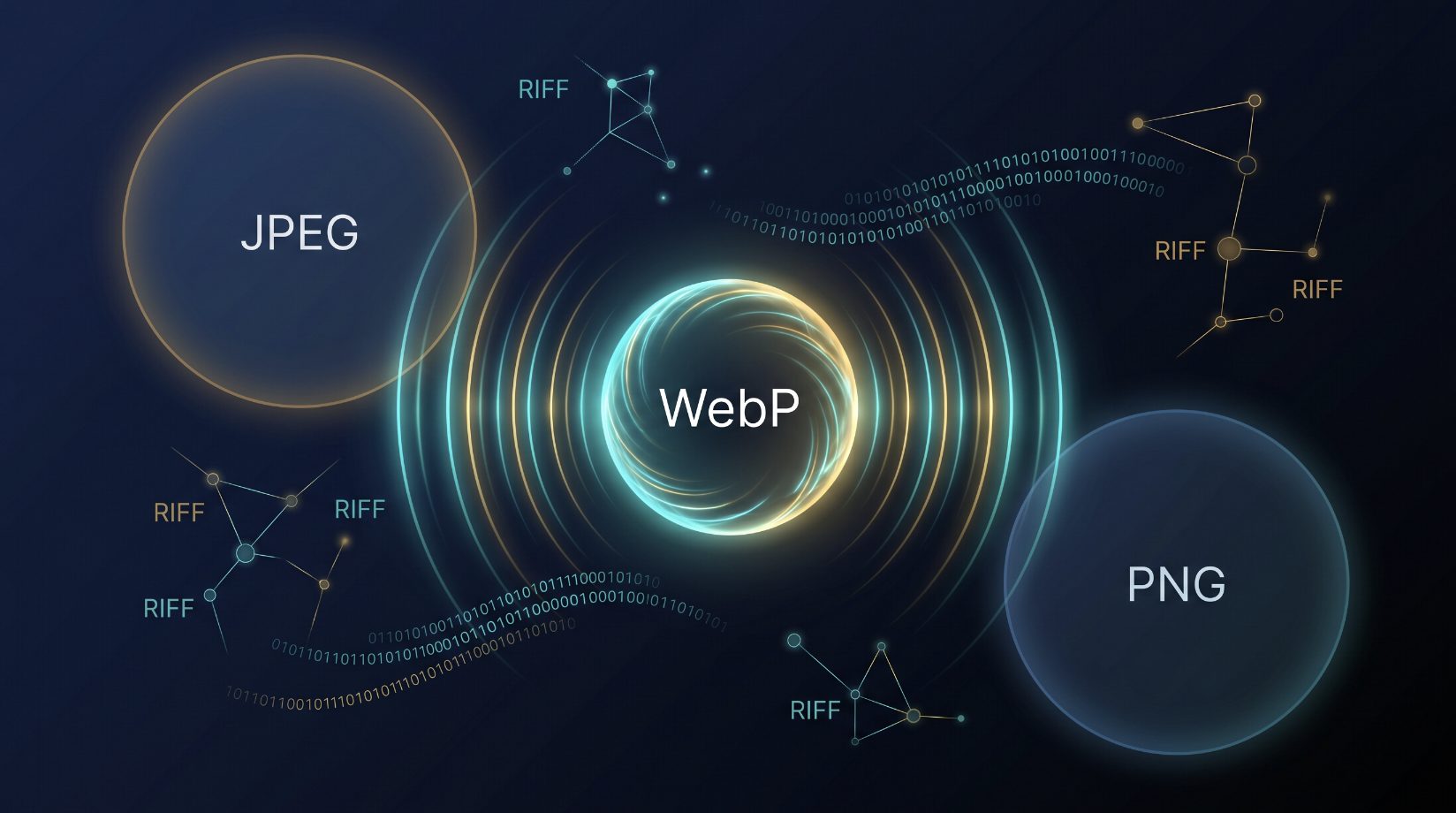
यह RIFF/WAVE-style कंटेनर हेडर है। 52 49 46 46 ASCII में "RIFF" लिखता है। अगले चार बाइट्स लिटिल-एंडियन uint32 में फाइल साइज़ हैं। 57 45 42 50 ASCII में "WEBP" लिखता है। WebP फाइल कोई रॉ बिटस्ट्रीम नहीं है। यह एक कंटेनर है, बिल्कुल WAV audio या AVI video की तरह, जो उसी RIFF specification पर बना है जिसे Microsoft ने 1991 में पेश किया था। उस कंटेनर के अंदर एक VP8 वीडियो फ्रेम बैठा है, जिसे स्थिर छवि के लिए repurpose किया गया है। यह design choice, photos के लिए एक वीडियो कोडेक का इस्तेमाल करना, WebP को समझने के लिए सबसे ज़रूरी चीज़ है।
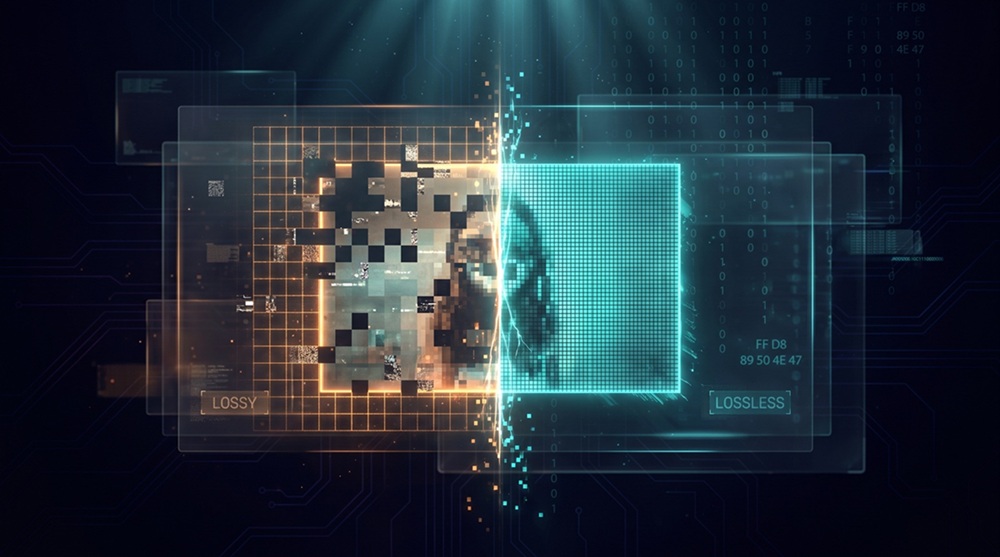
Google ने WebP की घोषणा 30 सितंबर, 2010 को की। pitch सीधी थी: JPEG जितनी ही visual quality, लेकिन 25-34% छोटी फाइलें। PNG के लिए दावा और भी बड़ा था; लॉसलेस छवियों के लिए 26% छोटी फाइलें। एक ऐसे web पर जहाँ transferred data का लगभग आधा हिस्सा image बाइट्स हैं, ये numbers व्यापक स्वीकृति ट्रिगर करने के लिए काफी होने चाहिए थे। वे नहीं हुए।
On2 Technologies का अधिग्रहण
WebP किसी image lab से नहीं आया। यह एक वीडियो कोडेक से आया।
फरवरी 2010 में, Google ने On2 Technologies का अधिग्रहण लगभग $124 मिलियन में किया। On2 एक video compression कंपनी थी जिसका इतिहास लंबा था; उनके कोडेक्स Flash video, Skype video calls, और AOL streaming को power करते थे। उनका flagship product VP8 था, एक वीडियो कोडेक जो H.264 से बिना patent royalties के टक्कर लेने के लिए बना था।
Google ने VP8 को मई 2010 में WebM नाम से open-source किया, Vorbis audio codec और Matroska कंटेनर के साथ bundle करते हुए। लक्ष्य साफ था: एक patent-free video stack बनाना जो MPEG-LA के H.264 licensing pool को चुनौती दे, जो web video streaming से royalties मांगना शुरू कर रहा था।
लेकिन Google के दिमाग में एक दूसरा उपयोग का मामला भी था। VP8 की इंट्रा-फ्रेम संपीड़न, किसी single वीडियो फ्रेम को बिना दूसरे फ्रेम्स का reference compress करना, मूल रूप से एक स्थिर-छवि कोडेक थी। वही भविष्यवाणी मोड, ट्रांसफॉर्म कोडिंग, और एन्ट्रॉपी कोडिंग जो VP8 को video के लिए efficient बनाते थे, photographs के लिए भी काम करते थे। Google ने intra-frame mode निकाला, उसे एक RIFF कंटेनर में wrap किया, और इसे WebP नाम दिया।
नाम एक marketing choice थी। "Web" क्योंकि यह web के लिए बना था। "P" क्योंकि image formats P से खत्म होते हैं, JPEG, PNG, BMP, TIFF। नतीजा एक ऐसा format था जो technically एक वीडियो फ्रेम था, जो photo होने का नाटक कर रहा था।
नया फॉर्मेट बनाने की ज़रूरत क्या थी?
2010 तक, JPEG अठारह साल का था और PNG चौदह साल का। दोनों पूरी तरह स्थापित थे। फिर परेशानी क्यों?
JPEG की सीमाएं स्पष्ट और जानी-पहचानी थीं:
- कोई transparency नहीं। एक JPEG pixel या तो पूरी तरह opaque होता है, या फिर आपको एक अलग mask चाहिए होता है।
- कोई animation नहीं। Animated JPEG कोई standard के रूप में मौजूद नहीं है।
- सिर्फ लॉसी। JPEG के baseline spec में कोई लॉसलेस mode नहीं है। (JPEG-LS और JPEG 2000 मौजूद हैं, लेकिन दोनों web-compatible नहीं हैं।)
- प्रति channel 8-bit color depth। Baseline में कोई wide-gamut या HDR support नहीं।
- कम quality पर blocking artifacts। 8 x 8 DCT grid quality settings 75 से नीचे दिखाई देता है।
PNG की सीमाएं उतनी ही स्पष्ट थीं:
- कोई लॉसी mode नहीं। PNG हमेशा लॉसलेस होता है। 12 MP photograph PNG में 15-25 MB होती है।
- Photographs के लिए बड़ी फाइलें। PNG की DEFLATE compression DCT-based psycho-visual discard से मुकाबला नहीं कर सकती।
- Base spec में कोई animation नहीं। APNG मौजूद है लेकिन browser support पाने में साल लग गए।
Google ने एक खाली जगह देखी: एक ऐसा single format जो लॉसी और लॉसलेस compression, transparency, और animation सब कर सके, और incumbents से छोटी फाइलों में। यही WebP का pitch था।
WebP कैसे काम करता है
WebP में दो internal formats हैं जो मूल रूप से अलग हैं: लॉसी WebP (VP8 intra-frame) और लॉसलेस WebP (एक अलग codec, VP8 research से ही निकला)।
लॉसी WebP: VP8 Intra
लॉसी WebP एक VP8 bitstream को RIFF कंटेनर के अंदर store करता है। एन्कोडिंग pipeline, मूल बातों में JPEG जैसी है, लेकिन मुख्य अंतर हैं:
| Stage | JPEG | लॉसी WebP |
|---|---|---|
| Transform | 8 x 8 DCT | 4 x 4 or 16 x 16 integer DCT-like transform |
| Prediction | None (intra only) | 4 इंट्रा-भविष्यवाणी मोड प्रति 4 x 4 ब्लॉक |
| Chroma subsampling | 4:2:0 default | 4:2:0 default |
| एन्ट्रॉपी कोडिंग | Huffman | Binary arithmetic coding |
| Bit depth | 8-bit | 8-bit |
इंट्रा प्रिडिक्शन सबसे बड़ी जीत है। JPEG हर 8 x 8 block को independently encode करता है। WebP हर 4 x 4 block को उसके पहले से encode किए गए neighbors, top, left, या दोनों, से predict करता है, फिर सिर्फ prediction error encode करता है। Smooth gradients और बड़े flat regions के लिए, error बहुत छोटा होता है, और compression ratio काफी बेहतर हो जाता है।
Arithmetic coder JPEG के Huffman coding से भी ज़्यादा efficient है, typically 5-10% additional savings उसी quality के लिए।
Google के 2010 के अपने बेंचमार्क ने यह दावा किया:
| Metric | WebP vs JPEG |
|---|---|
| Average file size reduction | 25-34% at equivalent SSIM |
| एन्कोड गति | ~8x slower than libjpeg |
| डिकोड गति | Comparable to libjpeg |
एन्कोड गति छिपी हुई कीमत थी। WebP फाइल बनाना JPEG की तुलना में काफी ज़्यादा CPU लेता था। सैकड़ों images export करने वाले photographers के लिए, यह matter करता था।
लॉसलेस WebP
लॉसलेस WebP एक अलग codec का इस्तेमाल करता है। यह VP8 नहीं है। यह एक custom format है जो predictive coding, color cache, LZ77 back-references, और Huffman + arithmetic hybrid entropy coding को मिलाकर काम करता है।
Predictive coding में प्रति pixel 14 अलग spatial भविष्यवाणी मोड होते हैं। Color cache हाल ही में देखे गए colors की hash table है, जो local repetition का फायदा उठाती है। LZ77 back-references PNG की DEFLATE की तरह हैं, लेकिन 2D spatial-aware matching के साथ। Entropy coding local statistics के हिसाब से adapt करती है, Huffman और arithmetic coding का hybrid बनाकर।
Google ने दावा किया कि average में PNG से 26% छोटी फाइलें मिलती हैं। असल में, savings बहुत vary करती हैं; simple graphics जिनमें बड़े flat regions हैं, उन्हें कम फायदा मिलता है, जबकि fine texture वाले photographs पर 30-40% reduction देखने को मिलता है।
एक्सटेंडेड WebP (VP8X)
VP8X chunk WebP को कई अतिरिक्त सुविधाएँ देता है। Alpha channel 8-bit alpha को अलग से encode करता है और लॉसलेस WebP के entropy coder से compress किया जाता है। Animation कई frames को timing metadata के साथ रखता है, जो मूल रूप से एक stripped VP8 video है। EXIF metadata में camera और geolocation data होता है। XMP metadata Adobe-style processing instructions रखता है। ICC color profile wide-gamut और HDR color management के लिए इस्तेमाल होता है।
VP8X फाइल VP8X chunk header से शुरू होती है, जिसके बाद flags आते हैं जो बताते हैं कि कौन से extensions मौजूद हैं।
फाइल फॉर्मेट
WebP एक RIFF कंटेनर है। RIFF जानने पर byte layout समझना सीधा है।
RIFF कंटेनर स्ट्रक्चर
Bytes 0-3:   "RIFF" (0x52 0x49 0x46 0x46)
Bytes 4-7:   File size - 8 (little-endian uint32)
Bytes 8-11:  "WEBP" (0x57 0x45 0x42 0x50)
Bytes 12-15: Chunk FourCC — "VP8 ", "VP8L", or "VP8X"
Bytes 16-19: Chunk size (little-endian uint32)
Bytes 20+:   Chunk data
VP8X एक्सटेंडेड हेडर
अगर बाइट्स 12-15 पर FourCC "VP8X" (0x56 0x50 0x38 0x58) है:
Bytes 20-23: Chunk size = 10 (little-endian uint32)
Bytes 24:    Flags byte
             Bit 0: Animation present
             Bit 1: XMP metadata present
             Bit 2: EXIF metadata present
             Bit 3: Alpha channel present
             Bit 4: ICC profile present
             Bits 5-7: Reserved
Bytes 25-27: Canvas width - 1 (little-endian uint24)
Bytes 28-30: Canvas height - 1 (little-endian uint24)
Canvas dimensions width - 1 और height - 1 के रूप में store होती हैं, इसलिए 1200 x 675 image 1199 और 674 store करती है। अधिकतम canvas size 16,777,215 x 16,777,215 pixels है।
विभिन्न चंक
| FourCC | Content | Compression |
|---|---|---|
VP8 | VP8 bitstream (लॉसी) | VP8 intra |
VP8L | VP8L bitstream (लॉसलेस) | Custom लॉसलेस |
VP8X | Extended header + flags | None |
ALPH | Alpha channel data | लॉसलेस WebP entropy |
ANMF | Animation frame | VP8/VP8L per frame |
ICCP | ICC color profile | None |
EXIF | EXIF metadata | None |
XMP | XMP metadata | None |
WebP को फाइल सिग्नेचर पढ़कर पहचानना
.webp extension पर भरोसा मत करो। पहले 16 बाइट्स पढ़ो और RIFF header parse करो।
Simple लॉसी WebP का exact byte layout:
Bytes 0-3:   "RIFF"
Bytes 4-7:   File size (little-endian uint32)
Bytes 8-11:  "WEBP"
Bytes 12-15: "VP8 " (लॉसी) or "VP8L" (लॉसलेस) or "VP8X" (extended)
Browser में TypeScript:
interface WebPInfo {
  valid: boolean
  type: "lossy" | "lossless" | "extended" | "unknown"
  width?: number
  height?: number
  hasAlpha?: boolean
  isAnimated?: boolean
}

async function inspectWebP(file: File): Promise<WebPInfo> {
  const buffer = await file.slice(0, 30).arrayBuffer()
  const bytes = new Uint8Array(buffer)

  if (bytes.length < 12) return { valid: false, type: "unknown" }

  const riff = String.fromCharCode(...bytes.slice(0, 4))
  const webp = String.fromCharCode(...bytes.slice(8, 12))
  if (riff !== "RIFF" || webp !== "WEBP") {
    return { valid: false, type: "unknown" }
  }

  const type = String.fromCharCode(...bytes.slice(12, 16))

  if (type === "VP8 ") {
    // Lossy: width/height at bytes 26-29
    const w = bytes[26] | (bytes[27] << 8)
    const h = bytes[28] | (bytes[29] << 8)
    return { valid: true, type: "lossy", width: w, height: h, hasAlpha: false }
  }

  if (type === "VP8L") {
    // Lossless: dimensions packed in bits of bytes 21-24
    const bits =
      bytes[21] | (bytes[22] << 8) | (bytes[23] << 16) | (bytes[24] << 24)
    const w = (bits & 0x3fff) + 1
    const h = ((bits >> 14) & 0x3fff) + 1
    const alpha = ((bits >> 28) & 0x01) !== 0
    return {
      valid: true,
      type: "lossless",
      width: w,
      height: h,
      hasAlpha: alpha,
    }
  }

  if (type === "VP8X") {
    const flags = bytes[20]
    const w = (bytes[24] | (bytes[25] << 8) | (bytes[26] << 16)) + 1
    const h = (bytes[27] | (bytes[28] << 8) | (bytes[29] << 16)) + 1
    return {
      valid: true,
      type: "extended",
      width: w,
      height: h,
      hasAlpha: (flags & 0x10) !== 0,
      isAnimated: (flags & 0x02) !== 0,
    }
  }

  return { valid: false, type: "unknown" }
}
Python
import struct
from typing import TypedDict

class WebPInfo(TypedDict):
    valid: bool
    type: str
    width: int | None
    height: int | None
    has_alpha: bool | None
    is_animated: bool | None

def inspect_webp(path: str) -> WebPInfo:
    with open(path, "rb") as f:
        header = f.read(30)

    if len(header) < 12:
        return {"valid": False, "type": "unknown"}

    if header[:4] != b"RIFF" or header[8:12] != b"WEBP":
        return {"valid": False, "type": "unknown"}

    chunk_type = header[12:16]

    if chunk_type == b"VP8 ":
        w, h = struct.unpack("<HH", header[26:30])
        return {"valid": True, "type": "lossy", "width": w, "height": h,
                "has_alpha": False, "is_animated": None}

    if chunk_type == b"VP8L":
        bits = struct.unpack("<I", header[21:25])[0]
        w = (bits & 0x3FFF) + 1
        h = ((bits >> 14) & 0x3FFF) + 1
        alpha = ((bits >> 28) & 0x01) != 0
        return {"valid": True, "type": "lossless", "width": w, "height": h,
                "has_alpha": alpha, "is_animated": None}

    if chunk_type == b"VP8X":
        flags = header[20]
        w = struct.unpack("<I", header[24:27] + b"\x00")[0] + 1
        h = struct.unpack("<I", header[27:30] + b"\x00")[0] + 1
        return {"valid": True, "type": "extended", "width": w, "height": h,
                "has_alpha": bool(flags & 0x10), "is_animated": bool(flags & 0x02)}

    return {"valid": False, "type": "unknown"}
Pillow का एक उच्च-स्तरीय विकल्प:
from PIL import Image

with Image.open("image.webp") as img:
    print(img.format)      # WEBP
    print(img.mode)        # RGB or RGBA
    print(img.size)        # (width, height)
    print(img.is_animated) # True if animated
webp लाइब्रेरी के साथ:
import webp

info = webp.WebPInfo("image.webp")
print(info.width, info.height, info.has_alpha)
Go
package main

import (
	"encoding/binary"
	"fmt"
	"os"
)

type WebPInfo struct {
	Valid       bool
	Type        string
	Width       int
	Height      int
	HasAlpha    bool
	IsAnimated  bool
}

func inspectWebP(path string) (WebPInfo, error) {
	f, err := os.Open(path)
	if err != nil {
		return WebPInfo{}, err
	}
	defer f.Close()

	buf := make([]byte, 30)
	if _, err := f.Read(buf); err != nil {
		return WebPInfo{}, err
	}

	if string(buf[:4]) != "RIFF" || string(buf[8:12]) != "WEBP" {
		return WebPInfo{Valid: false, Type: "unknown"}, nil
	}

	typeStr := string(buf[12:16])
	switch typeStr {
	case "VP8 ":
		w := int(binary.LittleEndian.Uint16(buf[26:28]))
		h := int(binary.LittleEndian.Uint16(buf[28:30]))
		return WebPInfo{Valid: true, Type: "lossy", Width: w, Height: h, HasAlpha: false}, nil
	case "VP8L":
		bits := binary.LittleEndian.Uint32(buf[21:25])
		w := int(bits&0x3FFF) + 1
		h := int((bits>>14)&0x3FFF) + 1
		alpha := ((bits >> 28) & 0x01) != 0
		return WebPInfo{Valid: true, Type: "lossless", Width: w, Height: h, HasAlpha: alpha}, nil
	case "VP8X":
		flags := buf[20]
		w := int(binary.LittleEndian.Uint32(append(buf[24:27], 0))) + 1
		h := int(binary.LittleEndian.Uint32(append(buf[27:30], 0))) + 1
		return WebPInfo{
			Valid: true, Type: "extended", Width: w, Height: h,
			HasAlpha: (flags & 0x10) != 0, IsAnimated: (flags & 0x02) != 0,
		}, nil
	}

	return WebPInfo{Valid: false, Type: "unknown"}, nil
}
PHP
function inspectWebP(string $path): array {
    $header = file_get_contents($path, false, null, 0, 30);
    if (strlen($header) < 12) {
        return ["valid" => false, "type" => "unknown"];
    }

    if (substr($header, 0, 4) !== "RIFF" || substr($header, 8, 4) !== "WEBP") {
        return ["valid" => false, "type" => "unknown"];
    }

    $type = substr($header, 12, 4);

    if ($type === "VP8 ") {
        $w = unpack("v", substr($header, 26, 2))[1];
        $h = unpack("v", substr($header, 28, 2))[1];
        return ["valid" => true, "type" => "lossy", "width" => $w, "height" => $h, "has_alpha" => false];
    }

    if ($type === "VP8L") {
        $bits = unpack("V", substr($header, 21, 4))[1];
        $w = ($bits & 0x3FFF) + 1;
        $h = (($bits >> 14) & 0x3FFF) + 1;
        $alpha = (($bits >> 28) & 0x01) !== 0;
        return ["valid" => true, "type" => "lossless", "width" => $w, "height" => $h, "has_alpha" => $alpha];
    }

    if ($type === "VP8X") {
        $flags = ord($header[20]);
        $w = unpack("V", substr($header, 24, 3) . "\x00")[1] + 1;
        $h = unpack("V", substr($header, 27, 3) . "\x00")[1] + 1;
        return [
            "valid" => true, "type" => "extended",
            "width" => $w, "height" => $h,
            "has_alpha" => (bool)($flags & 0x10),
            "is_animated" => (bool)($flags & 0x02),
        ];
    }

    return ["valid" => false, "type" => "unknown"];
}
fileinfo के साथ:
$finfo = new finfo(FILEINFO_MIME_TYPE);
$mime = $finfo->file('image.webp');
// image/webp
ImageMagick CLI
magick identify -verbose image.webp | grep "Format:"
# Format: WEBP (WebP Image Format)
Full metadata extraction:
magick identify -verbose image.webp
यह width, height, color depth, alpha presence, compression type, और ICC profile information output करता है।
या सीधे:
file image.webp
# image.webp: RIFF (little-endian) data, Web/P image
मजबूत पक्ष
WebP कुछ विशिष्ट पहलुओं में technically प्रभावशाली है:
छोटी फाइलें: Google के संदर्भ कॉर्पस पर, लॉसी WebP ने average में JPEG से 25-34% छोटी फाइलें दीं उसी SSIM पर। लॉसलेस WebP ने average में PNG से 26% छोटी फाइलें दीं। बड़े ट्रैफिक वाली sites के लिए, ये savings सीधे bandwidth costs और faster page loads में बदल जाती हैं।
सुविधाओं का एकीकरण: एक format ज्यादातर उपयोग के मामलों के लिए JPEG और PNG दोनों की जगह ले लेता है। लॉसी mode photos के लिए, लॉसलेस mode graphics के लिए, alpha channel transparency के लिए, animation short sequences के लिए। एक web developer को एक format जानने की ज़रूरत है, तीन की नहीं।
ब्राउज़र-नेटिव डिकोडिंग: Chrome, Firefox, Safari, और Edge सभी hardware-accelerated या highly optimized software WebP decoders ship करते हैं। डिकोड गति desktop पर JPEG के बराबर है और mobile पर 10-20% के भीतर।
प्रोग्रेसिव डिकोडिंग: WebP incremental display support करता है जैसे ही data आता है, JPEG के progressive mode की तरह। Slow connections के लिए, file के ~30% data मिलने पर ही एक recognizable image दिखाई देती है।
ऐनिमेशन: Animated WebP फाइलें typically animated GIFs से 60-80% छोटी होती हैं equivalent visual quality पर, हर frame के लिए full 24-bit color और 8-bit alpha के साथ।
कमजोर पक्ष
WebP की समस्याएँ technical नहीं हैं। ये ecosystem की हैं।
एन्कोड गति: 2010 में, WebP encoding लगभग libjpeg से 8x slower था। यह gap कम हुआ है; 2026 में libwebp libjpeg-turbo से लगभग 2-3x slower है, लेकिन यह अभी भी batch workflows के लिए matter करता है। 1,000 images export करने वाला photographer noticeably ज़्यादा इंतज़ार करेगा।
कोई 16-bit या HDR support नहीं: WebP strictly 8-bit per channel है। Wide-gamut photography, medical imaging, या HDR content के लिए WebP unusable है। HEIC, AVIF, और JPEG XL सभी higher bit depths support करते हैं।
कोई लॉसलेस JPEG recompression नहीं: JPEG XL किसी मौजूदा JPEG को लेकर उसे लॉसलेस रूप से recompress कर सकता है ~20% savings के लिए। WebP नहीं कर सकता। JPEG को WebP में convert करने के लिए full re-encoding चाहिए, जो generation loss introduce करती है।
टूलिंग में कमी: Photoshop ने native WebP support 2022 तक नहीं दिया। ImageMagick का WebP support libwebp plugin compilation चाहता था, जो कई distributions ने default में छोड़ दिया। कई content management systems अभी भी default में JPEG/PNG generate करती हैं।
VP8 patent cloud: Google ने VP8 patent indemnification promise के साथ release किया, लेकिन codec का patent landscape कभी भी PNG या JPEG जितना clean नहीं रहा। कुछ organizations ने WebP को इसलिए avoid किया क्योंकि वे Google के legal shield पर court में टिके रहने का भरोसा नहीं करते थे।
JPEG अब भी क्यों हावी है
JPEG चौंतीस साल का है। इसमें कोई transparency नहीं, कोई animation नहीं, कोई लॉसलेस mode नहीं, और quality 75 पर visible artifacts हैं। WebP लगभग हर पहलू में इसे हराता है। फिर भी 2025 Web Almanac JPEG को लगभग 46% web images में रखता है, WebP के 19% के मुकाबले।
कारण technical नहीं है। यह network effects और switching costs की वजह से है।
JPEG image formats का QWERTY है। हर camera default में JPEG save करता है। हर phone native तरीके से JPEG display करता है। हर printer JPEG accept करता है। हर social network, CMS, CDN, और email client JPEG को बिना plugins, codecs, या conversion के handle करता है। Format इतना universal है कि ज़्यादातर users के लिए "image" और "JPEG" functionally synonymous हैं।
WebP की स्वीकृति का समयरेखा यह कहानी बताता है:
| Year | Milestone |
|---|---|
| 2010 | Google announces WebP (Chrome 8) |
| 2012 | Chrome 23 adds लॉसलेस and alpha support |
| 2013 | Chrome adds animated WebP |
| 2014 | Android 4.0+ adds native WebP support |
| 2015 | Facebook converts all mobile photos to WebP |
| 2016 | Safari 14 adds WebP support |
| 2020 | Universal browser support achieved |
| 2022 | Photoshop adds native WebP export |
| 2025 | WebP at 19% of web images per Web Almanac |
Chrome ने WebP को aggressively push किया क्योंकि Google browser और format दोनों control करता था। Facebook ने अपनाया क्योंकि इससे petabytes की bandwidth बचती थी। लेकिन web का लॉन्ग टेल, WordPress blogs, छोटी e-commerce sites, enterprise CMS deployments, email newsletters, धीरे-धीरे या बिल्कुल नहीं बढ़ा।
Apple का ecosystem critical failure point था। iPhones default में HEIC save करती हैं, WebP नहीं। macOS Preview ने WebP support macOS 11 Big Sur (2020) तक नहीं दिया। iOS share sheet ने WebP export offer नहीं किया। Photographers, designers, और social media creators जो primarily Apple devices पर काम करते थे, उनके लिए WebP invisible था।
इस बीच, AVIF 2019 में आया, WebP से better compression और Alliance for Open Media से royalty-free licensing के साथ। Chrome, Firefox, और Safari सभी AVIF ship करते हैं। Cloudflare और Cloudinary AVIF automatically serve करते हैं। WebP एक stepping stone बन गया, JPEG से better, लेकिन अगले generation द्वारा already leapfrogged।
WebP आज कहाँ खड़ा है
WebP कोई असफलता नहीं है, लेकिन इसकी सफलता आंशिक रही है।
2026 में नए projects बना रहे web developers के लिए, WebP transparency या animation चाहने वाली images के लिए pragmatic default है। यह लॉसलेस graphics के लिए PNG से छोटा है और photographs के लिए JPEG से छोटा है। Browser support universal है। Encode tooling mature है।
लेकिन WebP ने JPEG को replace नहीं किया। उसके साथ एक niche carve out की, वही niche जो PNG पहले से रखती थी, बस छोटी फाइलों के साथ। "One format for all images" का vision materialize नहीं हुआ।
2026 की practical reality:
| उपयोग का मामला | Best format | Why |
|---|---|---|
| Photographs (legacy) | JPEG | Universal, fast encode, small enough |
| Photographs (new) | AVIF | 30% smaller than WebP, royalty-free |
| Photographs (fallback) | WebP | 25% smaller than JPEG, universal support |
| लॉसलेस graphics | WebP or PNG | WebP is smaller; PNG is the safe fallback |
| Transparency | WebP or PNG | WebP has smaller files; PNG is the safe fallback |
| Animation | WebP or AVIF | Both beat GIF by 60-80%; AVIF is newer |
| Wide-gamut / HDR | AVIF or JPEG XL | 10+ bit depth, ICC/ICC v4 support |
| Print workflows | TIFF or JPEG XL | CMYK, 16-bit, लॉसलेस JPEG recompression |
WebP की असली विरासत यह साबित करना है कि web नए image formats अपना सकता है जब कोई major browser vendor काफी ज़ोर से push करे। इसने AVIF के लिए रास्ता बनाया, Apple को मजबूर किया कि वह non-JPEG/PNG formats को native support दे, और यह दिखाया कि transparency और animation एक ही कंटेनर में रह सकते हैं।
लेकिन इसने यह भी साबित किया कि केवल technical बेहतरी काफी नहीं है। Ubiquity, inertia, और ecosystem alignment compression ratios से ज़्यादा मायने रखते हैं। JPEG WebP से ज़्यादा दिन तक चलेगा, इसलिए नहीं कि यह बेहतर है, बल्कि इसलिए कि यह पहले से हर जगह है।
अंतिम विचार
WebP को एक वीडियो कोडेक से बनाया गया था ताकि एक bandwidth problem solve हो सके। इसने वो problem solve किया, Google के लिए, Facebook के लिए, किसी भी site के लिए जो अपनी image pipeline convert करने को तैयार थी। Compression real है, features useful हैं, और browser support complete है।
लेकिन web format इसलिए नहीं बदलता क्योंकि कोई white paper कहता है कि नया वाला 25% छोटा है। यह तब बदलता है जब नया format पुराने से इस्तेमाल करना आसान हो, या जब पुराना format इतनी बुरी तरह fail करे कि migration अनिवार्य हो जाए। JPEG इतनी बुरी तरह fail नहीं किया। WebP इतना आसान नहीं था। और जब WebP आसान बना, तब तक AVIF पहले से ही आ चुका था, spec sheet पर एक बड़ा number लेकर।
WebP image formats का Betamax है, technically ठोस, broadly supported, और आखिर में उस चीज़ से पीछे रह गया जो थोड़ी देर में आई, बेहतर marketing और व्यापक समर्थन के साथ। यह गायब नहीं होगा। यह JPEG, PNG, AVIF, और भविष्य के किसी भी फॉर्मेट के साथ coexist करेगा, वही role निभाते हुए जो आज PNG निभाती है: safe, capable fallback जो हर जगह काम करता है।
अगर आपके पास PNG files हैं जिन्हें web के लिए छोटा footprint चाहिए, PNG to WebP उन्हें locally browser में convert करता है, कोई upload नहीं, कोई server processing नहीं। उन JPEGs के लिए जिन्हें transparency या animation चाहिए, JPG to WebP quality control के साथ conversion handle करता है। और जब आपको universal fallback चाहिए, WebP to PNG और WebP to JPG WebP files को वापस ऐसे formats में लाते हैं जो हर viewer में खुलते हैं।