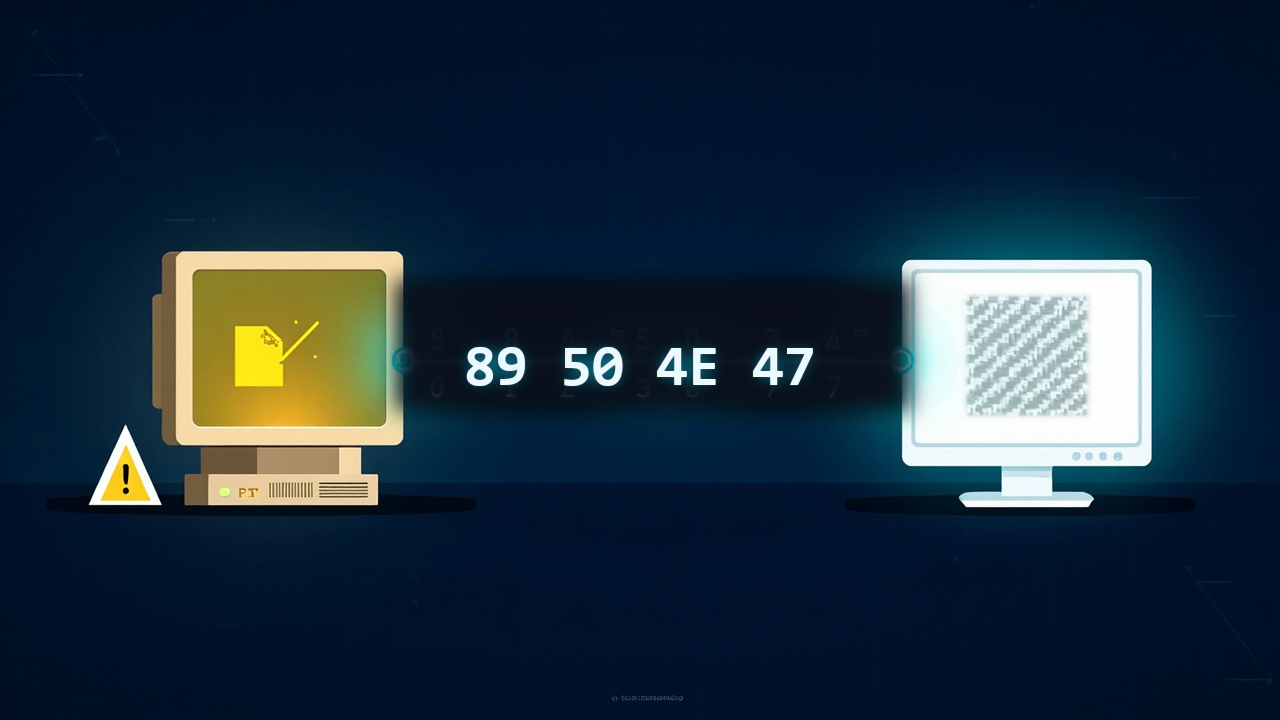
Open a PNG file in a hex editor. The first eight bytes:
89 50 4E 47 0D 0A 1A 0A
That is the PNG signature. Every PNG decoder checks for it. The first byte 0x89 is deliberately chosen to be high — it prevents naive text editors from treating the file as ASCII. 50 4E 47 spells "PNG" in ASCII. 0D 0A is a DOS line ending, 1A is the DOS end-of-file marker, and 0A is a Unix line feed. The designers embedded these line-ending characters so that FTP transfers in text mode would corrupt the file immediately, forcing users to transfer in binary mode. It was a small act of paranoia from developers who had just watched a patented format turn into a legal weapon.
PNG is everywhere today. It powers screenshots, UI assets, diagrams, logos, and any image where pixels must stay exactly the same after repeated saves. It is older than Google, older than the iPod, and still the default choice when lossless compression matters. But it was never meant to be a format at all. It started as a stopgap, not a standard.
The Lawsuit That Forced a New Format
In January 1995, Unisys announced that it would enforce its LZW compression patent — U.S. Patent 4,558,302 — against developers using the GIF format. The patent covered the Lempel-Ziv-Welch algorithm, the compression method at the heart of every GIF encoder and decoder.
The web ran on GIF in 1995. Animated banners, transparent logos, tiled backgrounds — GIF did all of it. Then Unisys demanded royalties. Commercial software vendors faced licensing fees. Open-source projects faced existential threats. The GNU Image Manipulation Program (GIMP) was directly affected. The web development community was furious.
Something had to replace GIF for static images. The requirements were clear: no patents, better compression than GIF, support for true color, and a proper alpha channel instead of GIF's crude single-color transparency. It also needed to be simple enough that a single developer could implement a decoder in a weekend.
On April 4, 1995, Thomas Boutell posted a proposal to the comp.graphics Usenet newsgroup. He called it PBF — Portable Bitmap Format. The name did not stick. Over the next few months, a mailing list formed. Contributors included Tom Lane (lead of the Independent JPEG Group), Lee Daniel Crocker, Alexander Lehmann, and dozens of others. By October 1, 1996, the PNG specification was frozen as RFC 2083. The entire process took roughly eighteen months from idea to standard. For comparison, JPEG took six years.
What Existed Before PNG
In 1995, your image format options were limited and each carried baggage:
| Format | Compression | Color depth | Transparency | Patent risk | Typical use |
|---|---|---|---|---|---|
| GIF | LZW | 256 colors max | 1-bit, 1 color | Yes (LZW) | Web graphics, animations |
| JPEG | DCT + Huffman | 24-bit true color | None | Baseline expired | Photographs |
| BMP | None or RLE | Up to 24-bit | None | No | Windows wallpaper |
| TIFF | LZW, PackBits, etc. | Up to 48-bit | Yes | LZW optional | Print, scanning |
| PCX | RLE | Up to 24-bit | None | No | DOS games, early clip art |
GIF owned the web but was legally toxic. Its 256-color palette was fine for icons and cartoons, but useless for photographs. Its transparency was binary: a pixel was either fully opaque or fully transparent. No soft edges, no drop shadows.
JPEG handled photographs brilliantly but destroyed data irreversibly. Open a JPEG, edit it, save it again, and the image degraded. JPEG also had no transparency at all. For web designers who needed a logo floating over a textured background, JPEG was useless.
BMP and PCX were uncompressed or barely compressed. A 640 × 480 BMP in 1995 ate 900 KB. On a 28.8 kbps modem, that took over four minutes to download.
TIFF was powerful and flexible, but its flexibility was its curse. TIFF files could use a dozen different compression schemes, color spaces, and bit depths. Writing a universal TIFF decoder was a thesis-level project, not a weekend hack.
PNG was designed to hit a narrow target: replace GIF for static images, beat its compression, add true color and real transparency, and stay free forever.
How PNG Actually Compresses
PNG compression is a two-stage pipeline. Neither step is clever on its own. Together they are surprisingly effective.
Stage 1: Filtering
Before any compression happens, PNG runs the raw pixel data through a filter. The filter does not compress anything. It rearranges the data so that the next stage can compress it better.
An image is a grid of bytes. In a photograph of a clear sky, adjacent pixels are nearly identical. But the raw byte stream still stores 120, 121, 120, 122, 119 for each channel. The differences are tiny: +1, -1, +2, -3. If you store the differences instead of the absolute values, the resulting numbers cluster around zero. That clustering is what compression algorithms love.
PNG defines five filter types per scanline:
| Filter | Name | What it does |
|---|---|---|
| 0 | None | Stores raw bytes |
| 1 | Sub | Stores difference from previous pixel |
| 2 | Up | Stores difference from pixel above |
| 3 | Average | Stores difference from average of Sub and Up |
| 4 | Paeth | Stores difference from best predictor (Sub/Up/diagonal) |
The encoder tries all five filters per scanline and picks the one that produces the smallest output after Stage 2. This is why a PNG encoder can be slow: it is doing a brute-force search over filter combinations. But decoding is fast — the filter type is stored in the file, so the decoder just applies the inverse operation.
Stage 2: DEFLATE
After filtering, the data is compressed with DEFLATE, the same algorithm used by gzip and ZIP files. DEFLATE is a combination of LZ77 (sliding-window duplicate string elimination) and Huffman coding (variable-length prefix codes for frequent symbols).
The result: a typical screenshot or UI graphic compresses 3–5× smaller than uncompressed BMP. A photograph compressed as PNG is usually 5–10× larger than JPEG, but every pixel is recoverable. The compression is lossless by construction: no data is discarded, only redundancies are removed.
For context, a 1920 × 1080 screenshot in raw RGB is 6.2 MB. The same screenshot as PNG typically drops to 800 KB – 1.5 MB. The same image as JPEG quality 90 is 300–500 KB, but re-saving it ten times would introduce visible artifacts.
The Features That Mattered
PNG was not just a patent-free GIF clone. It added capabilities that web designers had been begging for since 1993.
True color: PNG supports 24-bit RGB (16.7 million colors) and 48-bit deep color. No palette limits. A PNG photograph can display every color the human eye can distinguish.
Alpha channel: PNG supports 8-bit alpha — 256 levels of transparency per pixel. A shadow can fade smoothly from opaque to transparent. A rounded button can anti-alias against any background. GIF offered 1-bit transparency: one color was either fully on or fully off. The visual difference is night and day.
Adam7 interlacing: PNG can store pixels in a 7-pass interlaced order. A browser renders a coarse preview after receiving 1/64 of the file, then progressively refines it. Unlike GIF's line-by-line interlacing, Adam7 spreads detail across the entire image from the first pass. By the third pass, the image is recognizable. By the seventh, it is perfect.
Gamma correction: PNG stores a gamma value in its metadata. An image created on a Mac (gamma 1.8) displays correctly on a Windows PC (gamma 2.2) without manual color correction. This was a genuine problem in the 1990s when cross-platform consistency was rare.
CRC checksums: Every PNG chunk carries a CRC-32 checksum. Corrupted downloads are detected immediately instead of producing a half-rendered image.
Detecting PNG by Reading the File Signature
Do not trust the .png extension. Read the first eight bytes and check the signature.
Exact byte layout:
Bytes 0–7:  Signature 89 50 4E 47 0D 0A 1A 0A
Bytes 8–11: Chunk length (big-endian uint32)
Bytes 12–15: Chunk type: "IHDR" (image header)
Bytes 16–19: Image width (big-endian uint32)
Bytes 20–23: Image height (big-endian uint32)
Byte 24:    Bit depth
Byte 25:    Color type
Byte 26:    Compression method (always 0)
Byte 27:    Filter method (always 0)
Byte 28:    Interlace method (0 or 1)
TypeScript in the browser:
async function isPng(file: File): Promise<boolean> {
  const buffer = await file.slice(0, 8).arrayBuffer()
  const bytes = new Uint8Array(buffer)

  const signature = [0x89, 0x50, 0x4e, 0x47, 0x0d, 0x0a, 0x1a, 0x0a]
  return bytes.length === 8 && bytes.every((b, i) => b === signature[i])
}
Python
def is_png(path: str) -> bool:
    with open(path, "rb") as f:
        header = f.read(8)

    return header == b"\x89PNG\r\n\x1a\n"
Higher-level option with the standard library:
import imghdr

if imghdr.what("image.png") == "png":
    pass
Or with Pillow:
from PIL import Image

try:
    with Image.open("image.png") as img:
        is_png = img.format == "PNG"
except Exception:
    is_png = False
Go
func isPng(path string) bool {
	f, err := os.Open(path)
	if err != nil {
		return false
	}
	defer f.Close()

	buf := make([]byte, 8)
	if _, err := f.Read(buf); err != nil {
		return false
	}

	return bytes.Equal(buf, []byte{0x89, 0x50, 0x4e, 0x47, 0x0d, 0x0a, 0x1a, 0x0a})
}
PHP
function isPng(string $path): bool {
    $header = file_get_contents($path, false, null, 0, 8);
    return $header === "\x89PNG\r\n\x1a\n";
}
With fileinfo:
$finfo = new finfo(FILEINFO_MIME_TYPE);
$mime = $finfo->file('image.png');
// image/png
ImageMagick CLI
magick identify -verbose image.png | grep "Format:"
# Format: PNG (Portable Network Graphics)
Or simply:
file image.png
# image.png: PNG image data, 1200 x 675, 8-bit/color RGBA, non-interlaced
PNG's Limitations
PNG is not perfect. Its design choices were trade-offs, and some of those trade-offs still cost us today.
No built-in animation: The PNG Working Group explicitly rejected animation. They wanted to solve the static-image problem completely before adding complexity. The result: animated GIF survived for another two decades. APNG (Animated PNG) was eventually standardized in 2004, but browser support remained patchy until the late 2010s. Even today, animated GIFs outnumber APNGs by orders of magnitude.
Large file sizes for photographs: A 12 MP photograph as PNG is typically 15–25 MB. As JPEG quality 90, it is 3–5 MB. PNG's lossless compression cannot compete with JPEG's DCT-based psycho-visual discard. For photographs, PNG is the wrong tool.
No CMYK support: PNG is RGB-only. Print workflows that require CMYK separation must convert PNG to TIFF or JPEG. This was a deliberate choice — the designers focused on screen display, not print — but it limits PNG's usefulness in professional publishing.
Slower decode than JPEG: PNG decoding requires inverse filtering per scanline and DEFLATE decompression. JPEG decoding is highly parallelizable and heavily optimized in hardware. On mobile devices, a large PNG can take 2–3× longer to render than an equivalent-resolution JPEG, delaying Largest Contentful Paint.
No progressive quality: Unlike JPEG 2000 or JPEG XL, PNG cannot produce a lower-quality preview from a truncated file. Either you have the whole file, or you have nothing. Adam7 interlacing helps with coarse previews, but it does not reduce total file size.
Why PNG Never Replaced JPEG
This is the most common misconception about image formats. PNG and JPEG were never competing for the same job.
JPEG is a lossy psycho-visual compressor. It throws away data your eyes were unlikely to notice. It was designed for continuous-tone photographs — images with smooth gradients, fine texture, and natural lighting. For that job, JPEG is still unbeatable on the size-quality curve after thirty-three years.
PNG is a lossless data compressor. It preserves every bit. It was designed for discrete-tone images — screenshots, UI elements, diagrams, logos, text overlays — where sharp edges and exact colors matter. For that job, PNG is the standard.
The two formats carved out separate territories:
| Use case | Right format | Why |
|---|---|---|
| Photographs | JPEG/AVIF | Lossy compression is 5–10× smaller |
| Screenshots | PNG/WebP | Lossless preserves text sharpness |
| Logos with transparency | PNG/WebP | Alpha channel + lossless edges |
| UI icons | PNG/SVG | Small size, exact color match |
| Scientific data visualizations | PNG | No artifacts in gradient legends |
| Print-ready images | TIFF/JPEG XL | CMYK support, high bit depth |
PNG never set out to replace JPEG. It just found a different job.
Where PNG Stands Today
The 2025 Web Almanac puts PNG at roughly 22% of all images served on the web. That is down from its peak — WebP and AVIF are eating share — but PNG remains the fallback format that every browser, every image editor, and every operating system can open without hesitation.
WebP (Google, 2010) supports both lossy and lossless modes, plus animation and transparency. A lossless WebP is typically 20–30% smaller than an equivalent PNG. Browser support is universal since 2020. For new projects, WebP lossless is the pragmatic replacement for PNG in most cases.
AVIF (AOM, 2019) achieves even better compression, but its lossless mode is slower to encode and decode than PNG. AVIF also lacks full browser support for some advanced PNG features like 16-bit channels and embedded gamma correction.
SVG owns the icon and logo space for simple vector graphics, but rasterized complex graphics still need PNG.
The practical reality: PNG is not going away. It is the safe default, the format you export to when you need to guarantee that the recipient can open the file. It is the QWERTY of image formats — not optimal, but universally understood.
The Future of PNG
PNG is a finished standard. The specification has not changed meaningfully since 2003. That stability is a feature, not a bug. You can open a PNG created in 1997 in any modern browser and it will render identically.
But the ecosystem around PNG continues to evolve:
APNG is gaining ground. Safari has supported it since 2014. Chrome and Firefox followed. Discord, Slack, and Twitter all render APNGs natively. For short UI animations — loading spinners, reaction emojis, status indicators — APNG is replacing animated GIF with smaller files and better color fidelity.
PNG optimization tools keep improving. oxipng, pngcrush, and zopfli can shave another 10–30% off PNG file sizes by brute-forcing better filter combinations and DEFLATE parameters. For high-traffic sites, running every PNG through oxipng is standard practice.
PNG as a container: Some modern workflows embed ICC color profiles, EXIF metadata, and even XMP data inside PNG chunks. PNG has become a lightweight archival format — not as rich as TIFF, but far more portable.
The long-term outlook: PNG will coexist with WebP, AVIF, and JPEG XL for years. It fills a niche that no other format owns completely: lossless, patent-free, universally supported, and simple enough that a single developer can write a decoder from the specification in a week. That combination is hard to displace.
The Bottom Line
PNG was created because developers were fed up. A patent lawsuit threatened the open web, and a group of developers built an alternative in their spare time. They did not set out to create a thirty-year standard. They set out to solve one problem: how to put a transparent logo on a web page without paying a license fee.
The result was far better than anyone expected. PNG gave the web true-color graphics, smooth transparency, and corruption-resistant file integrity. It proved that open standards, built by volunteers, could beat proprietary formats backed by large companies.
It is not the smallest format. It is not the fastest to decode. It does not do animation well, and it is hopeless for photographs. But when you need to know that every pixel you saved is the pixel you will get back — PNG is still the tool you reach for.
Not every image starts out as a PNG. If you have JPGs that need transparency or lossless editing, you can convert them right in your browser — no software to install, nothing leaves your device. JPG to PNG handles it locally. For web work where file size matters, JPG to WebP shrinks the files without touching quality. And when you need favicon icons, JPG to ICO turns photos into ICO files at multiple sizes.