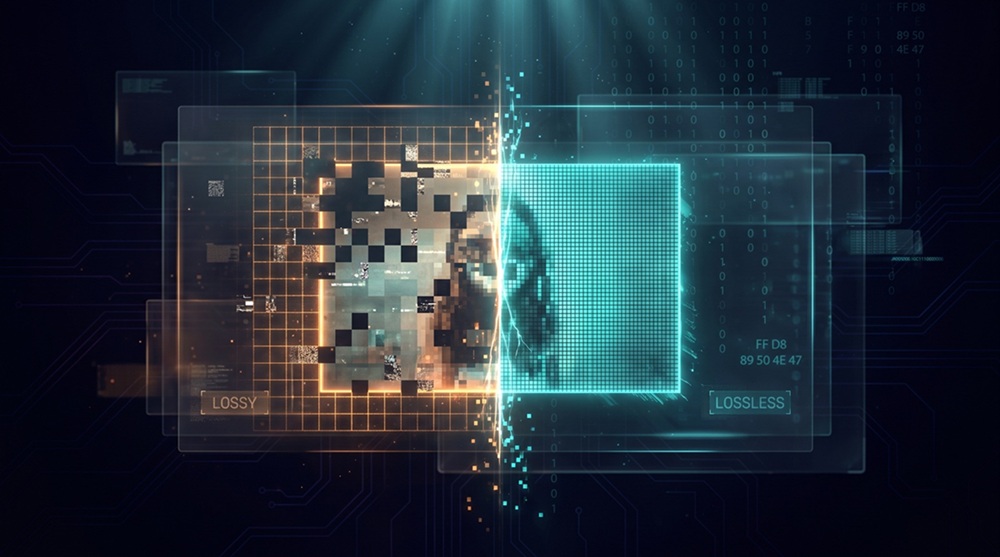
Take the same 12 MP photo (4000 × 3000 pixels) and save it twice. Once as PNG: 24 MB. Once as JPEG at quality 90: 3.4 MB. Put them side by side on your screen and you cannot tell them apart. Zoom to 400% and the differences finally show up: a slight softening in hair and grass, faint halos along the sharpest edges.
Two files, one image, a 7× size gap. Neither file is broken. They just made different promises. PNG promised to keep every bit. JPEG promised to keep everything you would notice. Almost everything about image formats follows from which of those two promises a format makes.
Why compression split into two camps
In 1948, Claude Shannon published "A Mathematical Theory of Communication" and gave compression a hard floor. His source coding theorem says you cannot losslessly represent data below its entropy, the average information content per symbol. A perfectly random image does not compress at all. A solid white image compresses to almost nothing. Every real image lands somewhere on that scale, and no lossless algorithm can go below that floor.
Lossy compression exists because of a loophole. The entropy floor applies to the data you have, not the data you keep. If you first replace the image with a slightly different image, one with lower entropy, the floor drops with it. That is the entire trick: change the data, then pack it. The engineering question is which changes are acceptable.
The answer depends on two things. First, the content. A screenshot of a settings panel is mostly flat color and repeated shapes: low entropy, easy to predict. A photo of a forest is photon shot noise and sensor read noise at the pixel level: high entropy, hard to predict. Second, the consumer. A program reading the file needs exact bits. A human looking at the file comes with built-in error tolerance: limited spatial acuity for color, poor sensitivity to fine high-frequency texture, and brightness perception that tracks ratios rather than absolutes (Weber's law, roughly 1 to 2% luminance steps).
So formats split. If your content is predictable and your consumer is a machine or a pixel-peeping human, go lossless. If your content is noisy and your consumer is a human at arm's length, you can afford to forget.
How lossy compression works
People often describe lossy codecs as "throwing data away", which is true but imprecise. They throw away specific data, selected by a model of human vision. The pipeline:
-
Convert RGB to a luma-chroma color space (YCbCr for JPEG, similar splits elsewhere). Your eye resolves brightness detail far better than color detail, so the chroma channels can be stored at quarter resolution (4:2:0 subsampling). This one step cuts raw data by roughly 50% and is invisible in most photos.
-
Transform each block into frequencies. JPEG uses the discrete cosine transform on 8 × 8 blocks. JPEG 2000 uses wavelets. AV1 and HEVC use larger, variable-size transforms. The result is always the same shape: a few large coefficients describing broad forms, and many small coefficients describing fine texture.
-
Quantize. Divide every coefficient by a step size and round to an integer. Small coefficients become zero. This is the only lossy step in the whole pipeline, and the quality setting on your encoder is just a multiplier on those step sizes. Quality 95 uses small steps and keeps almost everything. Quality 30 uses large steps and zeroes out most of the fine texture.
-
Entropy-code what survives. Zig-zag scan, run-length encoding, Huffman or arithmetic coding. This stage is lossless. It only packs the already-quantized numbers.
Read that list again. Steps 1, 2, and 4 are reversible bookkeeping. Step 3 is where the image is actually destroyed, on purpose, one rounding error at a time.
The destruction has a recognizable signature. Push quality too low and you get blocking (visible 8 × 8 grid edges in skies and walls), ringing (halos around text and high-contrast edges), and banding (smooth gradients collapsing into steps). Re-save a lossy file and the pipeline runs again on already-damaged data, which is why generation loss compounds: the tenth re-save of a JPEG looks like a watercolor of the first.
How lossless compression works
Lossless codecs take no such liberties. The decoded file must match the original bit for bit, so all they can do is model and pack. The standard recipe has two stages.
Stage one: decorrelate. PNG filters every scanline before compressing it. For each row, the encoder picks one of five predictors (None, Sub, Up, Average, Paeth) and stores the difference between the actual pixel and the prediction. A solid white row becomes a single white pixel followed by thousands of zeros. A smooth gradient becomes small, slowly varying residuals. Either way the numbers get small and cluster near zero, which is exactly what the next stage wants.
Stage two: entropy coding. PNG uses DEFLATE, the same algorithm behind gzip and zip, built from two 1970s ideas. LZ77 scans for repeated byte sequences and replaces each repeat with a (distance, length) pointer into the previous 32 KB of data. Huffman coding then assigns short bit codes to frequent values and long codes to rare ones. Neither step loses anything. Given the packed stream, you can always play it back to the original bytes.
This is why PNG is brilliant on screenshots and hopeless on photos. Interface graphics repeat: identical rows, repeated icons, long runs of flat color. LZ77 finds matches everywhere, and the filters turn whatever remains into near-zero residuals. A photograph repeats nothing. Shot noise makes every pixel slightly different from its neighbors, so the predictors miss, the residuals stay large and random, and LZ77 finds nothing to point at. PNG on a 12 MP photo typically manages 1.3:1 to 1.6:1 over the raw pixels. JPEG at visually similar quality gets 10:1.
The payoff for those bigger files is an absolute guarantee: decode a PNG, hash the pixels, and the hash matches the source every time. For screenshots that will go through OCR, scans that will be re-edited, medical and scientific images that may end up in a paper or a courtroom, that guarantee is the whole point.
Why JPEG bet on lossy in 1992
The Joint Photographic Experts Group started work in 1986, and the constraints of that era explain every design decision. A 20 MB hard drive cost hundreds of dollars. A 1.44 MB floppy was the standard way to move files. Modems ran at 14.4 kbps if you were lucky, which puts the download time of a single 921 KB uncompressed VGA photo at roughly nine minutes. A 10:1 lossy version arrives in under a minute. A 2:1 lossless version still takes more than four.
The committee's own tests told them lossless would not go further. Photographic content, the stated target ("continuous-tone images"), simply does not contain enough redundancy. Faced with that math, they designed around the only slack left: the viewer.
What is less known is that the standard they published in 1992 (ISO/IEC 10918-1) does contain a lossless mode. It skips the DCT entirely, predicts each pixel from up to three neighbors using one of seven fixed predictors, and entropy-codes the residuals: conceptually the same trick PNG would use three years later. Almost nobody implemented it. Decoders ignored it, encoders ignored it, and when medical imaging actually needed lossless JPEG, it got a separate standard instead (JPEG-LS, ISO/IEC 14495, 1999).
The committee also had to route around patents. The arithmetic coding option in JPEG was tangled in IBM's Q-coder patents, so the royalty-free baseline settled on Huffman coding, and most implementations never touched the arithmetic path. Patent anxiety shaping codec design was not new in 1992. It was about to get much worse.
JPEG was, at bottom, a psychovisual bet: the last 5× of compression is not mathematics, it is biology.
Why PNG bet on lossless in 1995
PNG did not start as an engineering project. It started as a legal emergency.
In December 1994, Unisys announced it would charge license fees for software using GIF, because GIF's compression relied on the LZW algorithm, covered by a 1985 patent Unisys had inherited. CompuServe, GIF's creator, cut a deal and passed the cost to developers. The Usenet graphics communities were furious: GIF had been free for seven years, and an entire early web's worth of images and tools suddenly sat on patented ground.
Within weeks, in early January 1995, Thomas Boutell posted the first draft of a replacement. Volunteers hammered out the design on mailing lists in a matter of months. PNG 1.0 arrived in October 1996 as a W3C recommendation, then as RFC 2083 in March 1997.
Two requirements were never up for debate. Every algorithm had to be patent-clean, which meant DEFLATE (the LZ77 plus Huffman combination from Phil Katz's PKZIP, implemented in zlib by Jean-loup Gailly and Mark Adler). And the format had to be lossless, full stop. The community was replacing GIF; a replacement that degraded images would have been dead on arrival, and the patent audit left no room for the perceptual tricks that made JPEG work anyway.
The content mattered just as much. PNG was built for what GIF actually carried: logos, diagrams, line art, icons, screenshots. Sharp edges and flat color, exactly the content where JPEG's ringing artifacts are most visible. Chasing photos would have meant reinventing the DCT and competing with an entrenched, royalty-free JPEG. PNG picked the fight it could win, and won it completely. The GIF patent expired in 2003 (2004 outside the US), but by then PNG had already taken its job.
Why lossy won the market anyway
PNG got its niche. JPEG got the world.
The reason is volume. The web's images are overwhelmingly photographs, and for photographs lossy is not a compromise but the correct tool. The 2025 Web Almanac puts JPEG at roughly 57% of all images served, three decades in. Social feeds, news photography, product shots, real estate listings: all continuous-tone content where a quality-75 lossy encode is visually indistinguishable from the source on the screens people actually use.
The economics push the same way. Storage and bandwidth are billed per byte, and 10:1 versus 2:1 is not a margin, it is a 5× difference in delivery cost at acceptable quality. Page speed follows file size, and file size follows compression. Every camera and phone ships with a lossy default (JPEG or HEIC). Every CMS generates lossy thumbnails. Social platforms re-encode every upload, partly for size, partly to strip metadata and anything malicious hiding in it. A photographer can upload a flawless TIFF; what the timeline serves is a quality-85 JPEG.
Lossless did not lose so much as retreat to where its guarantee matters: screenshots and UI assets, where artifacts are instantly visible and content compresses well anyway; masters in an edit pipeline, where every lossy generation compounds; medical, legal, and scientific imaging, where "close enough" is not evidence. Inside those niches PNG and TIFF are unchallenged. They are just not where the traffic is.
Where the formats landed
| Format | Year | Modes | Where it lives |
|---|---|---|---|
| JPEG | 1992 | Lossy (a lossless mode exists, barely used) | Photos, universal fallback |
| JPEG 2000 | 2000 | Both (lossy 9/7 and lossless 5/3 wavelets) | Digital cinema, archives |
| PNG | 1996 | Lossless | Screenshots, UI, graphics |
| GIF | 1987 | Lossless, max 256 colors | Simple animation, memes |
| TIFF | 1986 | Container: raw, LZW, ZIP, or JPEG | Print, scanning, archival |
| WebP | 2010 | Both | Web delivery, ~11% of LCP images |
| HEIC | 2015 | Lossy in practice (HEVC has a lossless mode) | iPhone photos |
| AVIF | 2019 | Both | Best lossy ratios in browsers |
| JPEG XL | 2021 | Both, plus lossless JPEG recompression | Safari, Chrome behind a flag |
Two trends stand out. New codecs no longer pick a side: WebP, HEIC, AVIF, and JPEG XL all ship lossy and lossless modes in a single specification, and JPEG 2000 was already doing it in 2000. The lossy-versus-lossless question moved from "which format" to "which mode". And the boundary cases keep arriving. JPEG XL can recompress an existing JPEG losslessly to about 80% of its size, a trick that is only possible because the two camps spent thirty years learning each other's math.
Choosing in practice
The decision tree is short:
- Publishing a photo? Lossy. JPEG when compatibility matters, WebP or AVIF when size matters.
- Saving a screenshot, logo, or anything with text and flat color? Lossless. PNG.
- Editing? Keep the master lossless, export lossy copies, and never re-save a lossy file in the same format. Each generation compounds the damage.
- Converting? Match the output to the job, not the input. A PNG screenshot headed for a photo gallery should become JPEG or WebP. A JPEG headed into a design file should become PNG, not because it gains quality (it cannot), but because it stops losing more.
That last point trips people up with iPhone photos. HEIC is already lossy HEVC compression. Converting HEIC to PNG does not restore anything; it freezes the current state and guarantees no further loss, which is still useful if you plan to edit. For sharing, converting straight to JPEG is the honest path. Our HEIC to JPG, HEIC to PNG, and HEIC to WebP converters run the conversion locally in your browser, so the file never leaves your device.
The same logic covers the rest of the matrix. Moving a JPEG into a lossless editing workflow: JPG to PNG. Shrinking a PNG screenshot for the web: PNG to JPG, or PNG to WebP when you want smaller files with the transparency kept. Going the other way, WebP to PNG and WebP to JPG restore compatibility with older software. If you are stuck with uncompressed BMP scans, BMP to JPG, BMP to PNG, and BMP to WebP give you the same lossy-lossless choice in one step. Even rendering documents hits the same fork: exporting a PDF page as an image means picking between PDF to JPG for photographic pages and PDF to PNG when the text has to stay crisp.
Thirty years on, the formats that survived are the ones that knew exactly what their users could afford to forget, and what they could not.