Batch HEIC to PNG
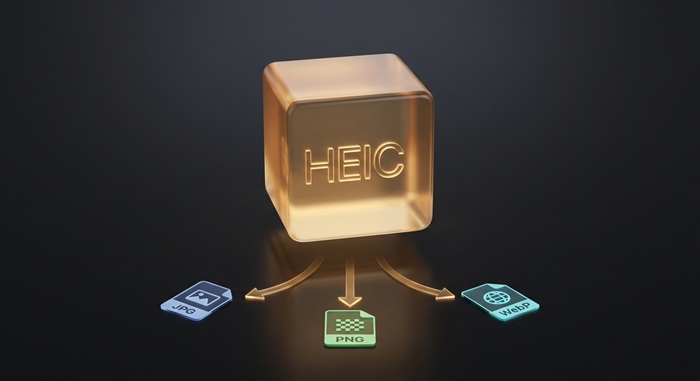
Convert HEIC format to PNG format
Drop HEIC files or folder here
Click to browse — supports .heic, .heif, .hif
Tips
HEIC — iPhone format. Half the size of JPG, but limited support.
PNG — Lossless with transparency. Ideal for editing and design.
Privacy — Your files stay on your device. The browser handles the conversion locally.
Batch — Add many HEIC files at once. Failed items are skipped automatically.
How to Convert HEIC to PNG
Drop your HEIC files
Drag photos from your iPhone or computer, or click to browse. We accept multiple files at once.
Convert instantly
The HEIC decoder runs locally in your browser via WebAssembly. Your files stay on your device throughout the conversion.
Download PNG
Download PNG — lossless with transparency preserved. Ideal for editing, design, and archival.
About HEIC to PNG
HEIC is Apple's default photo format since iOS 11. It compresses images at half the file size of JPG while keeping the same visual quality. The trade-off: most Windows PCs, Android devices, web platforms, and older apps cannot open it.
This tool converts HEIC files to PNG directly in your browser. PNG supports transparency and lossless compression, which makes it useful for design work and archival. Because everything runs locally with WebAssembly, your photos never leave your device.
Output keeps full resolution and color accuracy. PNG preserves transparency and uses lossless compression, so no image data is discarded. We do not add watermarks or impose usage limits.
Frequently Asked Questions
What is HEIC and why do I need to convert it?
HEIC is Apple's default photo format on iPhone and iPad. It saves space but is not supported by many apps, websites, and older devices. Converting to PNG gives you a lossless format with transparency support.
What is PNG format?
PNG is a lossless image format that supports transparency. Unlike JPG, it does not throw away image data during compression, which makes it ideal for graphics with sharp edges, text, logos, and any image where you need a transparent background.
Will the image quality be preserved?
Yes. PNG uses lossless compression, meaning no image data is thrown away. Resolution, color accuracy, and any transparency are preserved exactly. The trade-off is larger file sizes compared to JPG or WebP.
Is there a file size limit?
There is no hard limit. Since processing runs locally in your browser, the practical limit depends on your device's memory. Most HEIC photos from iPhones convert instantly.
Do I need to sign up or pay?
No. We do not ask you to subscribe, add watermarks, or hide higher quality behind a paywall. The tool is free to use.
Is my photo data safe?
Yes. The HEIC decoder runs locally in your browser via WebAssembly. Your files never leave your device.