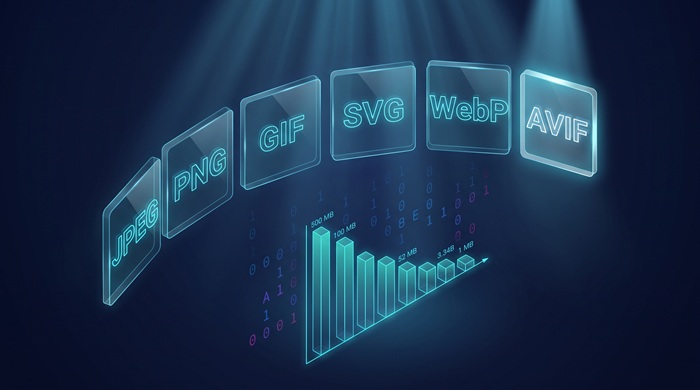
Take one 12 MP photo (4000 × 3000 pixels) and export it six ways. PNG: 24 MB. JPEG at quality 90: 3.4 MB. WebP at matched visual quality: about 2.4 MB. AVIF at matched visual quality: about 1.7 MB. GIF, dithered down to its 256-color ceiling: 6 MB, with visible banding everywhere. SVG is not on the list: it describes drawings, and a photograph is not one.
Same image on the screen, a 14× spread on disk. That gap is engineering, not taste. Every format is a set of decisions made under the constraints of a specific year, and those decisions still show up in your page weight today.
This is the decision version of that experiment: what each format actually does to your pixels, which browsers decode it in mid-2026, what the web is really serving, and a table at the end you can paste into a team wiki.
The contenders, one at a time
JPEG (1992). The mechanism: split the image into 8 × 8 blocks, transform each block into frequencies with the discrete cosine transform, then quantize the fine detail toward zero under a model of human vision. Strengths: it decodes on every device built since the mid-90s, encodes fast, and is excellent on continuous-tone photos. Weaknesses: no transparency, no animation, visible ringing around sharp edges and text, and quality that compounds downward with every re-save. Suits photographs, and anything that must open absolutely everywhere.
PNG (1996). The mechanism: fully lossless. Each scanline is filtered with a predictor, then packed with DEFLATE, the same LZ77 plus Huffman pairing inside gzip. Strengths: pixel-exact output, full alpha, universal support. The weakness is photos: sensor noise defeats the predictor, so a 12 MP shot compresses maybe 1.5:1 over raw pixels. Suits screenshots, UI captures, diagrams, and anything with text or flat color.
GIF (1987). The mechanism: LZW compression over a palette of at most 256 colors, with multiple frames packed into one file. Its one remaining strength is animation that plays everywhere, including email clients that lack support for modern formats. The weaknesses are everything else: 256 colors, one-bit transparency, and files that dwarf the equivalent video. Suits memes and small UI loops.
SVG (2001). The mechanism: none, in the raster sense. SVG is XML that describes shapes, paths, and gradients, and the renderer draws pixels at whatever resolution the screen needs. Strengths: resolution independent, tiny for geometric art, styleable with CSS. Weaknesses: it only works for content that is genuinely vector, and pathological files with thousands of nodes and heavy filters can cost more than a bitmap. Suits logos, icons, charts, and diagrams.
WebP (2010). The mechanism: the lossy mode borrows intra-frame prediction from the VP8 video codec, and the lossless mode uses spatial prediction plus LZ77-style backward references. Strengths: both modes in one format, alpha in lossy mode, animation, and files 25 to 34% smaller than JPEG at matched quality in Google's own study. Weaknesses: a hard 16383 × 16383 pixel limit and an encoder that costs more CPU than libjpeg. Suits almost everything, which is why it became the default upgrade path for JPEG, PNG, and GIF on the web.
AVIF (2019). The mechanism: still frames from the AV1 video codec, wrapped in the HEIF container. Strengths: the best lossy compression you can ship in a browser, roughly 50% smaller than JPEG at matched quality in Netflix's 2020 testing, plus 10-bit and 12-bit color, HDR, alpha, and animation. Weaknesses: encoding is genuinely slow, there is no progressive rendering (the image pops in all at once or not at all), and very low quality settings smear texture in a way JPEG's honest blocking does not. Suits photographs and hero images, where file size matters most.
HEIC (2015). The mechanism: HEVC still frames, also in a HEIF container. Strengths: compression in AV1's league and the default capture format on every iPhone since 2017. The weakness is legal rather than technical: HEVC is wrapped in patent pools, and every browser vendor except Apple declined to pay. It belongs in camera rolls, not on the web.
JPEG XL (2021). The mechanism: two engines under one roof, VarDCT for lossy work and a modular mode for lossless, plus a trick no other format has. It can recompress an existing JPEG losslessly to about 80% of its original size, bit-exact pixels included. Strengths: progressive decoding, excellent lossless ratios, high-fidelity photography. The weakness is adoption, which is mostly a story about browser politics, covered below. Suits photography pipelines and archives, and on Apple devices, the web.
Browser support, mid-2026
Versions where each format switched on by default, per caniuse data:
| Format | Chrome | Edge | Firefox | Safari |
|---|---|---|---|---|
| WebP | 32 (Jan 2014) | 18 (Nov 2018) | 65 (Jan 2019) | 14 (Sep 2020) |
| AVIF | 85 (Aug 2020) | 121 (Jan 2024) | 93 (Oct 2021) | 16.4 (Mar 2023) |
| JPEG XL | 145, behind a flag (Feb 2026) | none | behind a flag | 17 (Sep 2023) |
| HEIC | none | none | none | 17 (Sep 2023) |
Three details in this table are worth noting. AVIF on iOS technically arrived in Safari 16.0 but without animation; 16.4 is where full support lands on both macOS and iOS. Edge shipped AVIF years after Chrome even though Edge is Chromium, because Microsoft kept the decoder disabled longer than Google did. And the JPEG XL row hides an unusual story, which gets its own section below.
Global coverage, per caniuse's 2026 numbers: WebP sits around 97%, AVIF around 93 to 94%. JPEG and PNG sit at effectively 100%, and that is unlikely to change.
The compatibility hierarchy
Grouped by reach, the formats fall into five tiers.
Tier one is the universal set: JPEG, PNG, GIF, and SVG. They decode in every browser, every email client, every OS preview pane, and every decade-old kiosk. If a file absolutely must open, it ships in one of these four.
Tier two is WebP, alone. The last major holdout was Safari, and Safari 14 closed that gap in September 2020. What remains is Internet Explorer installs and ancient Android WebViews. For a website, as opposed to an email, WebP has been a safe default for about five years.
Tier three is AVIF. Chrome had it in 2020, Firefox in 2021, Safari in 2022 (full support in March 2023 with 16.4), and Edge defaulted it on in January 2024. Since early 2024, every major engine decodes AVIF out of the box. The remaining few percent is older iPhones and unmanaged Windows fleets, which is what fallbacks are for.
Tier four is JPEG XL, stuck. Apple ships it natively since Safari 17 in September 2023. Google removed Chromium's experimental decoder in late 2022, effective with Chrome 110 in February 2023, then reversed course and merged a Rust-based decoder (jxl-rs) that shipped in Chrome 145 in February 2026, still behind a flag. Firefox has had a decoder behind a flag for years. So JPEG XL support in mid-2026 means all Apple users plus the vanishing fraction of Chrome and Firefox users who flip flags, a group too small to build on.
Tier five is HEIC: Safari 17 on Apple platforms, nothing else anywhere. That is less a tier than a single-vendor ecosystem.
What the web actually serves
Support is not usage. The HTTP Archive's Web Almanac crawls millions of real pages and counts what they serve, and the 2024 edition (the latest with full media data) reads like a glacier moving. JPEG was still the single most common format at 32% of all images, but that is down eight full points from 40% in 2022. WebP picked up three of those points to reach 12%. SVG gained about two. AVIF reached roughly 1%, which sounds like a rounding error until you read it relatively: almost 4× growth in two years. ICO held 1.3%, almost all of it favicons. And GIF, 37 years old, somehow gained a point.
Why does it move this slowly? Three frictions do most of the work. CDN caching: images sit at the edge keyed by URL, and swapping formats means invalidating caches and re-encoding entire libraries. Old devices: the support chart says 97%, but the missing 3% is concentrated in cheap Android phones and corporate fleets, and some sites cannot afford to lose a single sale to a broken image. Tooling inertia: the CMS generates JPEG thumbnails because it always has, the design tool exports PNG because that is the big button, and changing the default means touching a build pipeline nobody owns.
There is also encode cost. AVIF's compression advantage is paid for in CPU at encode time, which is why image CDNs charge for it and why smart teams pre-generate AVIF at build or upload time rather than on the fly.
Where this is heading
AVIF is the safest bet for the next few years. It is royalty-free by design (the Alliance for Open Media was founded in 2015 by Amazon, Cisco, Google, Intel, Microsoft, Mozilla, and Netflix explicitly to escape HEVC-style patent pools), it handles lossy and lossless in one spec, it carries HDR, and it crossed the support threshold where a fallback chain costs almost nothing. The real costs are encode time and the lack of progressive decode. Pre-generation solves the first; the second is a fair trade.
JPEG XL deserved a better outcome than it got. On technical merit it is the most complete format ever standardized: progressive decoding, the best lossless mode, high-bit-depth photography, and lossless recompression of the entire existing JPEG corpus. Google pulled it from Chromium citing insufficient ecosystem interest, and the restoration request became one of the most-starred issues in the Chromium tracker's history. Three years later Google reversed the decision, but by then the adoption window had largely closed. While JPEG XL sat in exile, AVIF collected the CDN integrations, the CMS plugins, and the default checkboxes. JPEG XL will live on as the archivist's favorite and as a first-class citizen on Apple devices. It had the technical case for mainstream adoption and still missed it.
HEIC will not become a web format. The reason has nothing to do with quality. HEVC decoding requires patent licenses that vendors of free browsers have declined to pay for a decade, and the web runs on royalty-free technology. A format that three of the four major engines will not decode is not a web format; it is an export problem you solve at the boundary.
The transition technique, meanwhile, is well established, and it takes two forms. Server-side content negotiation: the browser sends an Accept header listing what it can decode, and the server or CDN picks the best variant for the same URL. Client-side: the <picture> element, which lists candidates and lets the browser take the first one it understands:
<picture>
  <source srcset="hero.avif" type="image/avif" />
  <source srcset="hero.webp" type="image/webp" />
  <img src="hero.jpg" alt="Team photo" width="1600" height="900" />
</picture>
The <img> at the bottom is the universal fallback, so nothing breaks anywhere. This is how you serve AVIF to the 93% and JPEG to the rest without maintaining two sites.
The decision table
| Use case | Serve | Why |
|---|---|---|
| Photos | AVIF, with WebP and JPEG fallbacks | Photos are where the largest byte savings are |
| Screenshots, UI captures | PNG, or lossless WebP | Text and sharp edges must stay pixel-exact |
| Logos and icons | SVG, with PNG fallback | Vectors scale to any density; rasterize last |
| Short animations on a page | Video (MP4/WebM) first, GIF only for maximum reach | Animated WebP and AVIF work in browsers, but video compresses far better |
| Favicons | ICO for maximum reach, PNG or SVG for modern browsers | ICO is a container that can hold PNG frames |
A short favicon note, because the table row leaves out some detail. Modern browsers accept PNG and even SVG favicons, but ICO remains the one format every crawler, RSS reader, and ancient browser tab understands, and an ICO file can bundle several sizes in one container. If your logo currently lives in another format, JPG to ICO, WebP to ICO, and PNG to ICO produce a proper multi-size ICO directly in your browser.
Converting between formats
Most conversion chores fall out of the sections above. The most common one by far is getting HEIC out of an iPhone and into something the rest of the world can open. HEIC to JPG is the right move for sharing, since HEIC is already lossy and JPEG keeps the damage from compounding. HEIC to PNG freezes the current state for editing, and HEIC to WebP makes sense when the destination is a website.
Then there is the JPEG, PNG, WebP triangle. Moving a JPEG into a design workflow: JPG to PNG, not because it gains quality (it cannot) but because it stops losing more. Shrinking it for the web: JPG to WebP. Going the other way for older software: WebP to JPG and WebP to PNG. A PNG screenshot headed for a photo gallery: PNG to JPG, or PNG to WebP when you want smaller files and the transparency kept. If you inherit uncompressed BMP scans, BMP to JPG, BMP to PNG, and BMP to WebP all beat emailing multi-megabyte relics around. Even documents hit the same fork: PDF to JPG for photographic pages, PDF to PNG when the text must stay crisp, and PDF to WebP when the page is headed for the web.
Every one of those tools runs the conversion locally in your browser, so the file never leaves your device.
Formats keep changing. The rule does not: match the codec to the content, and convert when the content changes jobs.